- Joined
- Feb 3, 2017
- Messages
- 132
- Reaction score
- 24
HI
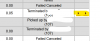
We have a problem where when the report "Call Reports" is generated, under the "Play" column, there is only one link to a call recording, which uses the fqdn.
There used to be 2 links, the other using the i.p. but this link is now gone.
So the problem is, when we generate a report, the report itself opens in a browser using the i.p. but the recording link goes to the fqdn and clicking it just opens a new Tab and the console log in screen. When you enter credentials you end up back at the console dashboard!
If you copy the link and paste it into the address bar, and then remove the fqdn and replace it with the i.p. address, you get the call recording ok.
I believe that originally the i.p. link was for internal use and the fqdn link was for external use, but we dont need external access to reports or recordings so this is really annoying. We cant ask our users to copy, paste and edit links every time.
Is there a fix for this at all?
Thanks
We have a problem where when the report "Call Reports" is generated, under the "Play" column, there is only one link to a call recording, which uses the fqdn.
There used to be 2 links, the other using the i.p. but this link is now gone.
So the problem is, when we generate a report, the report itself opens in a browser using the i.p. but the recording link goes to the fqdn and clicking it just opens a new Tab and the console log in screen. When you enter credentials you end up back at the console dashboard!
If you copy the link and paste it into the address bar, and then remove the fqdn and replace it with the i.p. address, you get the call recording ok.
I believe that originally the i.p. link was for internal use and the fqdn link was for external use, but we dont need external access to reports or recordings so this is really annoying. We cant ask our users to copy, paste and edit links every time.
Is there a fix for this at all?
Thanks