Samsung app goes black

Status
Not open for further replies.

Albert464

Customer
Intermediate Cert.
Joined
Oct 21, 2017
Messages
110
Reaction score
9
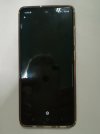
Hi, our customer has downloaded the application on a Samsung A51, when we enter the box to listen to the messages on the answering machine, we click on "Play" and the screen goes all black, an "i" appears at the bottom and nothing is heard . What can it be?
 
Hi @Albert464,
Please check this post and provide more info so we can assist you in troubleshooting.
 
Hi,
Please check this post and provide more info so we can assist you in troubleshooting.

Sure!

  • Phone Model: Samsung A51
  • Patch Level: 01 Feb 2021
  • Android Version: 11
  • App Version: 16.6.2
  • 3CX PBX Version: V16 Update 7 (16.0.8.9) / Debian
  • Network Connection: WiFi + LTE
  • Client is on the same network as the PBX or not? No, PBX is in Cloud (Vultr server).

Other:
The customer reports that after an update in the last few days some Apps have had problems. All apps are back to working properly after uninstalling and reinstalling them, except 3CX, although reinstalling it doesn't change.
She also reports that a few days ago by clicking on the playback of the file in the answering machine, the phone asked which App to open it with and proposed YouTube Music. To date, by re-downloading the App, this request no longer appears.

What happens:
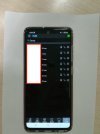
By clicking on the PLAY, the screen goes black and the audio is not heard, but an "i" appears on the screen, if clicked the screen flashes and the only way to exit is to close the app.

Attach photo.

IMG_20210326_120307_resized_20210326_120622988.jpgIMG_20210326_120316_resized_20210326_120623251.jpg
 
@Albert464, this appears to be an issue with the selected audio playback app that is used to open the audio file. I suggest you uninstall & re-install the audio playback app or try with another one.
 
  • Like
Reactions: JohnS_3CX
@Albert464, this appears to be an issue with the selected audio playback app that is used to open the audio file. I suggest you uninstall & re-install the audio playback app or try with another one.

None of us have Android to try, but is it normal that you need to select an App to play the file? If so, which one do you usually use by default?
 
None of us have Android to try, but is it normal that you need to select an App to play the file? If so, which one do you usually use by default?
You could try VLC that usually plays most of the file formats that I know of.
 
  • Like
Reactions: KyriakosP
You could try VLC that usually plays most of the file formats that I know of.
Ok, so it's not like the 3CX iOS App that you don't need to download anything, do you have to have an audio player?
 
Yes, essentially what the 3CX App does is download a file and opens it with the default device player.
If the default device player is unable to play the file back, then it won't get played.

Downloading a player app that can play this file format is required.

Just for other people that may be reading this, different Android devices have different default players. Some might play it, some might not. The only way unfortunately to determine this is to actually try it.
 
  • Like
Reactions: KyriakosP
Status
Not open for further replies.

Members Online Now

Forum statistics

Threads
111,832
Messages
589,284
Members
164,662
Latest member
DejanMDS