Solved SBC fresh install (Debian) once booted doesn't run setup script

Status
Not open for further replies.

CRM250

Customer
Basic Certified
Joined
Dec 3, 2020
Messages
20
Reaction score
3
Not sure if i am missing something, a clean debian install, configure my IP statically, is there supposed to be something happen like it does with Raspberry ?? ie choose SBC or 3CX install ?
I can login as root and that's it
try running wget https://downloads-global.3cx.com/downloads/sbc/3cxsbc.zip -O- | sudo bash from the command line to be greeted with a load of certificate errors and file not found.

I must be missing something here as even doing a reinstall , same again.
I wonder if the ISO compilation is a bit borked
 
Last edited:
I did indeed, just doing it again for the 3rd time.
I wonder if its a new ISO file and something is not quite right.
Will try once again i have done it on raspberry and it was fine, just not using the debian ISO
 
Yep same again, machine reboots after the debian is installed - then you are faced with login for linux
Once logged in nothing just the # prompt
 
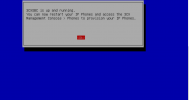
This is what you should see:
1610122244023.png

Which ISO are you using, the Debian 9 or Debian 10 one?
Also, one what are you installing it on? Hyper-V? VMware, physical machine?
 
That is indeed what i should see - i see the black linux login after reboot.
Debian 10 x64 Vmware
 
Maybe your network settings are incorrect.. check those carefully. Is DHCP giving you network or are you manually typing it in? You can press esc to type it manually before DHCP kicks in.

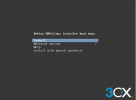
Using the Debian ISO from the link above:

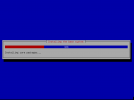
1610121821204.png

Configure network


1610121939376.png

Select language and region

Enter a root password

Write to the disk

1610122019673.png

wait for this to finish

1610122051732.png
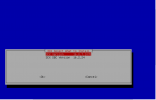
Then select SBC

1610122265251.png

accept T&C

Fill our FQDN and Access ID

1610122447533.png

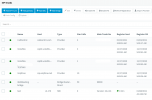
1610122510226.png

By the time i've written this up you've probably already solved it :D

I did indeed, just doing it again for the 3rd time.
I wonder if its a new ISO file and something is not quite right.
Will try once again i have done it on raspberry and it was fine, just not using the debian ISO
 
^^ spot on - good call ref the DNS address
Will try that now and report back
 
the plot thickens, debian 9 iso ? so perhaps the VMware type needs to be dropped from 10 to 9
I am sure this has worked fine once before
 
Found the issue

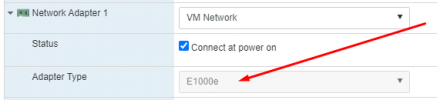
Debian 10 x 64 in Vmware uses the VMXnet NIC by default it would seem
It needs to be swapped to the universal E1000e NIC

1610123802876.png
 
  • Like
Reactions: NickD_3CX
I'm glad you found the solution! I'll mark it as "Solved", but just as a comment, I've never had a problem setting this up using a VMXnet3 adapter, but can check.
 
Status
Not open for further replies.

Forum statistics

Threads
111,974
Messages
590,081
Members
164,899
Latest member
mazet