SBC Specs Query

Status
Not open for further replies.

thames

Customer
Basic Certified
Joined
Apr 4, 2011
Messages
175
Reaction score
12
Hi Folks

I'm about to supply a 42 seat 3CX system to a client. They have two buildings on one LAN with interconnecting routers and they have another building a little way away on a separate network with only two seats. The PBX will be hosted on a Google Compute Instance. I'm getting ready to figure it all out but would love some help with the "to SBC or not to SBC" question.

(a) Would you use an SBC standalone in one of the two buildings which are on the same LAN?
(b) Would you use STUN Remote for the two extensions in the disconnected building?
(c) Would you choose High Availability using two SBCs or just the one?

I usually use STUN Remote setup when I set up smaller 3CX systems but this is my first system with more than 15 extensions so really want to ensure I set it up correctly. If SBC is indeed the way to go, could someone please suggest the correct hardware to use for the SBC?

Many thanks in advance
Chris
 
@JohnS_3CX, @David Forster

Thanks for coming back so fast. No - it is two totally separate networks in his home. He has the ADSL broadband line supplied by us with the Draytek router attached to it. He also has a private Virgin Cable line in his house, with the Virgin router on the end of it. Although the two network points are both close to where he is working, they are completely separate.

Something I just remember - the Draytek is connected to the head office router using a LAN to LAN connection. I wonder if that could be causing the issue? Any ideas? I would have thought that incoming traffic on the ADSL line would still be separate from the VPN connection... but not sure...
 
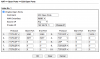
This is what my Open Ports setup looks like on the Draytek.
1598357309257.png
 
If you have a site to site vpn, and are allowing all traffic down the vpn tunnel and you can access the 3CX server.

Configure the phone as local lan, and it will use the VPN tunnel.

Change the config within 3CX management console, making sure you are using IP address and not FQDN under 'Select Interface'
Factory default the phone.
Log into the phone gui, and enter the provisioning url into the server address.
 
Hi @thames ,

In answer to your question that's totally dependant on the setup of the Draytek. You can force all traffic to use the VPN (easiest way to tell is to do an IP lookup for a connected device, you should see the office IP if that's how it's configured).

Have to admit it wouldn't be the usual way to configure a data network unless all data needed to pass through the HO fire, but needs ruling out.
I believe you mentioned a while back the PBX is in the cloud isn't it, i.e. not located at head office?

So does it register OK with the PBX and just audio an issue?

As always, check Draytek firmware is up to date etc.. Also check if your 3CX install is accessible from that line (i.e. can you visit the user or admin interface). I've encountered interesting issues such as VDSL settings incorrect (MTU value) and thus unable to access some Google Cloud services.

Can you share a screen grab of the Fanvil GUI Line Page/SIP Tab (obv remove anything sensitive first)

Dave.
 
What does the Draytek see as its WAN IP? If it's not a public IP address, then Double NAT is the source of your troubles. Neither port forwarding nor DMZ will help.

You need to switch the ISP router into bridge mode, if it allows it. Things won't work right until the Draytek sees a public IP address on its WAN interface.

Sometimes it's easier to swap out a cable modem gateway (layer 3) for a plain cable modem (layer 2). If the ISP provides a static public IP they may not be able to support it without a gateway though.
 
  • Like
Reactions: David Forster
If you have a site to site vpn, and are allowing all traffic down the vpn tunnel and you can access the 3CX server.

Configure the phone as local lan, and it will use the VPN tunnel.

Change the config within 3CX management console, making sure you are using IP address and not FQDN under 'Select Interface'
Factory default the phone.
Log into the phone gui, and enter the provisioning url into the server address.
@Saqqara - no the PBC is in the Google Cloud using a compute instance. The VPN he is connecting to the office on is simply so he is able to connect to servers, Email, file storage etc. in office while he is on the home network.
 
Hi @thames ,

In answer to your question that's totally dependant on the setup of the Draytek. You can force all traffic to use the VPN (easiest way to tell is to do an IP lookup for a connected device, you should see the office IP if that's how it's configured).

Have to admit it wouldn't be the usual way to configure a data network unless all data needed to pass through the HO fire, but needs ruling out.

David, that's how it's configured. I have not routed all traffic through the office router. I've just set it up so that he is able to connect to PCs in the office. As far as I know he accomplishes this fine.

I believe you mentioned a while back the PBX is in the cloud isn't it, i.e. not located at head office?

So does it register OK with the PBX and just audio an issue?

Yep - all connects fine. He gets dial tone and can dial out and receive calls. It's just the audio is totally non-existent. If he then moves the phone to the Virgin router, all works fine. It's driving me nuts.

As always, check Draytek firmware is up to date etc.. Also check if your 3CX install is accessible from that line (i.e. can you visit the user or admin interface). I've encountered interesting issues such as VDSL settings incorrect (MTU value) and thus unable to access some Google Cloud services.

Ah - now there is something I have not done. Will do a screen share with him in the morning and see if that works. Until your comment above I just assumed if the phone works then the connectivity is not an issue. I will add that test to my little array of knowledge.

Can you share a screen grab of the Fanvil GUI Line Page/SIP Tab (obv remove anything sensitive first)

I will give that a shot tomorrow and will post it here. Super. Thanks as always for the help.

Cheers
Chris
 
What does the Draytek see as its WAN IP? If it's not a public IP address, then Double NAT is the source of your troubles. Neither port forwarding nor DMZ will help.

You need to switch the ISP router into bridge mode, if it allows it. Things won't work right until the Draytek sees a public IP address on its WAN interface.

Sometimes it's easier to swap out a cable modem gateway (layer 3) for a plain cable modem (layer 2). If the ISP provides a static public IP they may not be able to support it without a gateway though.
Hi there yes the WAN IP is a public IP address. The Draytek is connected just to a normal ADSL line. There is no other gateway so no need for bridge mode.

Cheers
Chris
 
Hi there yes the WAN IP is a public IP address. The Draytek is connected just to a normal ADSL line. There is no other gateway so no need for bridge mode.

What does Google see as the public IP of a computer connected to the Draytek? Does it match the WAN IP? Is it possible you're using the far side of a site-to-site VPN as a default gateway?
https://www.google.com/search?q=what+is+my+ip
 
  • Like
Reactions: thames
Status
Not open for further replies.

Forum statistics

Threads
111,958
Messages
589,938
Members
164,861
Latest member
LewisJC