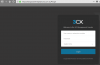
Server error

Status
Not open for further replies.

Niels Clavaux

New User
Joined
Mar 23, 2018
Messages
6
Reaction score
0
Today morning i see thing message in my emailbox. When i want to login, i see the message "server error".
I see this message:
3CX Service notification

Following service(s) were stopped recently:
3CXPhoneSystemMC01 (10.132.0.110)

What can i do?
 
Debian or Windows? VM or physical machine? You can try restart VM / physical machine.
Last time when I get that message the reason was insufficient memory (RAM)
 
hi Niels, have you solved the issue? i got the same issue
 
Hello @manu_tsr

First thing to do is to check on the machine if all 3cx services are running. If this is a windows machine check the task manager. If it's a linux machine, connect using ssh and run
service 3CX* status
 
Can you please try again now and let us know if the issue has been resolved?
 
I have the same problem with https://kangacoachlinesptyltd.3cx.com.au running on trial google cloud VM. I restarted the VM and was emailed an additional notice from 3cx:
3CX detected that your Public IP Address changed.
New IP: 35.201.11.170
I still get a server timeout when I try to log into the management console
 
I seem to be able to get to your MC login page now...
upload_2018-6-15_10-53-26.png

I checked though and I saw something strange, you have installed using your own Google Account but there may be 2 VMs created and using the same.
I would suggest logging into you GC account and checking if you have 2 VMs created, and if so delete the one that is not being used.
If you intentionally have 2 VMs, then you should be fine now as I can see your MC.
 
Thanks is working now. I did originally have a second VM but has now been deleted. Any idea what caused the crash and did you do anything to rectify or did I just have to wait for the new IP address to work its way through..?
 
If a 3CX is installed on a non-3CX GC account, there is no interactions we can do with it (regardless if you created it using PBX Express or not), so no, we did nothing.

If I had to make a guess, you just needed to wait for the IP to change to the correct/valid VM....
 
Status
Not open for further replies.

Latest Posts

Forum statistics

Threads
111,885
Messages
589,547
Members
164,745
Latest member
Herm77