- Joined
- Aug 15, 2025
- Messages
- 14
- Reaction score
- 6
Hi,
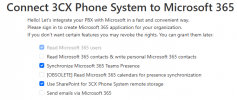
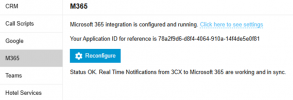
We currently have an integration with Office 365, and it appears to be functioning properly. We're using it for single sign-on through Office 365, and no errors are being reported. However, when we try to use SharePoint for storage, we get the following error. Based on the documentation provided, it needs a folder within the root site, but I don't think there is a way to do that. We can only add a document library in the root site. Is there anything else we should be considering?
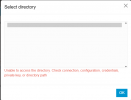
We currently have an integration with Office 365, and it appears to be functioning properly. We're using it for single sign-on through Office 365, and no errors are being reported. However, when we try to use SharePoint for storage, we get the following error. Based on the documentation provided, it needs a folder within the root site, but I don't think there is a way to do that. We can only add a document library in the root site. Is there anything else we should be considering?