SIP Provider not reachable

Status
Not open for further replies.

710

Free User
Joined
Sep 9, 2023
Messages
18
Reaction score
2
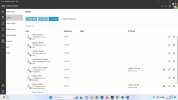
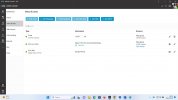
My provider number (DID) is not reachable after configuring Voice & Chat, Call handling, Users, Router Phone (Yealink T43U, and “Normal Phone (Yealink T58A”. I am using VOX SIP and 3CX Free.
Your assistance will be highly appreciated.
 

Attachments

  • Voice and Chat.jpg
    Voice and Chat.jpg
    177.9 KB · Views: 8
  • Users.jpg
    Users.jpg
    216.6 KB · Views: 8
Just to clarify you are not able to call your DID?
As i can see the routing is configured to a Ring Group, you do not receive calls to the ip phones or the web client?
 
  • Like
Reactions: 710
Just to clarify you are not able to call your DID?
As i can see the routing is configured to a Ring Group, you do not receive calls to the ip phones or the web client?
Thank you for the reply, I can not receive calls to the ip phones or the web client.
 
Just to clarify you are not able to call your DID?
As i can see the routing is configured to a Ring Group, you do not receive calls to the ip phones or the web client?
Thank you for the reply, I cannot receive calls to the ip phones or the web client. The caller gets this message “+2787 ….. 36 not available”.
 
Have you confirmed that there is no issue with the provider as the call does not reach the PBX?
 
T
Have you confirmed that there is no issue with the provider as the call does not reach the PBX?
The service is active on the VoIP Provider and I can even make calls on their web.
 
What is the message you get when trying to make a call?
 
I cannot see any call coming in the PBX. Also there is no voicemail for the sip trunk in the PBX. This has to be clarified with the provider.
 
I cannot see any call coming in the PBX. Also there is no voicemail for the sip trunk in the PBX. This has to be clarified with the provider.
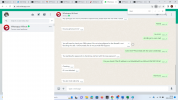
Thanks, I am online with the provider and I will give you feedback
 
  • Like
Reactions: TheodorosG_3CX

Attachments

  • WhatsApp Message.png
    WhatsApp Message.png
    489.3 KB · Views: 6
I would suggest that you create a ticket to the 3CX Technical Support to further investigate your issue.
 
I would suggest that you create a ticket to the 3CX Technical Support to further investigate your issue.
is it possible to check if the provide IP address is blacklisted from 3CX 197.155.248.129?
 
It is not blacklisted.
 
I resolved the issue that was on the VoIP provider and all 3CX free service are running perfectly.:p
 
  • Like
Reactions: TheodorosG_3CX
Great news. Thank you.
 
  • Like
Reactions: IrinaP_3CX
Status
Not open for further replies.

Members Online Now

Forum statistics

Threads
111,831
Messages
589,277
Members
164,660
Latest member
RJenkinsROCK