Sonicwall and 3CX iphones not working

Status
Not open for further replies.

fokeiro

Forum User
Joined
Dec 28, 2019
Messages
2
Reaction score
0
Hi guys. we are trying to provision our phones to a 3cx server and for some reason we have managed to get the web client working and the phones works from a open access internet router we have (netgear), but when phones are behind firewall they wont connect.

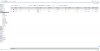
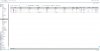
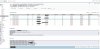
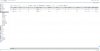
things we did : we created service object with all ports, a address object with the server address. Set up some Nat polices (screenshots) and access rules, but for some reason, as per sonicwall support, when phones goes out the firewall assign a random port then goes out 5060, but when receive the packet comes from 5060 to 5060 not to this random port so its getting dropped. the pbx provider claims this is fine behavior for the pbx server. attached some screenshots of all settings. maybe someone can help us, any ideas will do.
 

Attachments

  • access rules 2.jpg
    access rules 2.jpg
    144.6 KB · Views: 12
  • access rules.jpg
    access rules.jpg
    144.8 KB · Views: 12
  • address object.jpg
    address object.jpg
    27 KB · Views: 9
  • net policies.jpg
    net policies.jpg
    159 KB · Views: 9
  • packets.jpg
    packets.jpg
    323.6 KB · Views: 10
  • packets2.jpg
    packets2.jpg
    402.8 KB · Views: 10
  • services objects.jpg
    services objects.jpg
    286.4 KB · Views: 12
fokeiro,

It appears you have an on-prem 3CX server based on 172.16 address but you might first provide the information listed here:
https://www.3cx.com/community/threads/information-to-provide-when-requesting-help.67558/

Second, you seem to have a large number of Service Objects created for 3CX services. You only need the objects listed here: https://www.3cx.com/docs/sonicwall-firewall-configuration/
I would recreate your objects, groups and policies based on that guide.

Finally, the random port you mention is most likely the Source Port remap issue detailed in the SonicWALL configuration guide listed above. If you miss that setting, the port numbers will not be preserved. Is your SonicWALL running a recent firmware? Your screenshots show an older SonicOS UI and there were some bugs in some firmware versions that caused issues with 3CX (and SIP in general).
 
  • Like
Reactions: BrenttG
Sonicwall firmware is a bug in my opinion, its all built on top of VXWorks which is known for security issues in the embedded world... Jokes aside @Chris-MBN is absolutely correct, i concur on his statements and I'm a network engineer. Older SonicWall firmware have documented issues with port translations and remapping. And even on the new firmware's you have to be very careful to get it just right, and sonicwall's firmware doesn't exactly make it easy.
 
I have had a couple of installations with SonicWall and they were a bit of a pain if I am honest. We used VPN connection up to the hosted system (software pfsense) for the phones and this by-passed most of the security of the firewall.

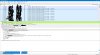
How are you connecting the phones ? if STUN you will need to allocate each endpoint its own static IP by DHCP or static configuration and port forward each endpoint its own set of ports for SIP and RTP (see attached from my Draytek config).

Personally you'd be best using the SBC if using STUN - 1 port for 3CX tunnel and thats it. If VPN is an option this I prefer the most.
 

Attachments

  • stun_master (003).jpg
    stun_master (003).jpg
    318.7 KB · Views: 5
thanks for the info guys. as per sonicwall , I don't get why they don't recommend latest firmware so their support installed the current one, seems due to bugs etc. this 3cx server is located on a colocation which we have a circuit to, so I was thinking instead of using the internet, we can throw a cable on it to our switch In the colo and give it a internal Ip address of our network and that should avoid the SW completely. we may be able to set up a vpn to it too but since I don't have access to it...… But as per what you guys can see in our settings is there anything terrible wrong that could prevent it from the phones connecting?
 
I would start by confirming that you did in fact read the the guide linked by @Chris-MBN and followed the configuration steps there.
 
  • Like
Reactions: BrenttG
I have a number of sonicwalls and they all work with the web clients and phone apps (TZ210, NSA3500, TZ215, TZ200). I have even tested remote phones connected to cellular modems and everything works.

Update the firmware. Older firmware does not have the "Disable Source Port Remap" option to check. If that option is missing you are not good to go.

If you have a sonicwall account you may be able to get the newest firmware even if you no longer pay for support. There was a security issue and new firmware was released for Free at some point in mid 2019. You just had to have previously registered.

DO NOT use the Public Server Wizard. Settings will be incorrect.
Follow the directions exactly.
https://www.3cx.com/docs/sonicwall-firewall-configuration/

Sonicwall has a workaround for using Multiple WAN IP addresses on a single RJ45 Port with ARP. It will not work for multiple 3CX systems behind it. I have tried and only one system will pass the firewall checker in 3CX. If someone gets it work let me know. I have it working for other types of devices but not 3CX.
 
Sonicwall has a workaround for using Multiple WAN IP addresses on a single RJ45 Port with ARP. It will not work for multiple 3CX systems behind it. I have tried and only one system will pass the firewall checker in 3CX. If someone gets it work let me know. I have it working for other types of devices but not 3CX.

Sonicwall is not a firewall to use for datacenter and hosting operations for this, and many other reasons we have found, i have personally peeked at their firmware which is how i know its vxworks under the hood, and its noooot pretty....
13695

Lets just say they take the bandaid on top approach rather than the fixing the foundation approach. Adding more code on top to prevent something from happening, rather than fixing the underlying code that caused it to happen in the first place. Best analogy i could think of without more caffeine, im crashing atm...
 
Last edited:
Status
Not open for further replies.

Forum statistics

Threads
111,935
Messages
589,823
Members
164,816
Latest member
natedog