


- Joined
- Jun 9, 2020
- Messages
- 25
- Reaction score
- 3
Hello,
We host and manage multiple PBX's and we have Site to Site VPN's setup. However, there is one customer coming online in which 2 phones will be set up via STUN. The first issue we ran into was that RPS for the Yealink T46S would not work. We tried to manually provision with the URL given by 3CX.
I thought it was the SSL certificate so we got a COMODO SSL Certificate (Approved by Yealink since V81), this still didn't work.
I took some PCAP's and this is what I have:
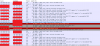
I'm not an expert at this or anything but the last one before the Rest (Level: Fata, Description: Unknown CA) stuck out to me. Any insight would be helpful.
So with this, what I did was download the two config files 3CX has as /provisioning/RANDOM/y000000000066.cfg and /provisioning/RANDOM/PHONEMAC.cfg
I spun up a web server with the SAME CERTIFICATE, uploaded the two .cfg files, and pointed the phone there. To my suprise, it provisioned correctly. Now it set the phone to the 3CX provisioning link and I can't get it to provision for the life of me. I believe this has something to do with Nginx, but I tried enabling ciphers, TLS version, etc, but I don't know what the difference is.
Phone: Yealink T46S
Firmware: 66.85.0.5
Hardware: 66.0.0.128.0.0.16
3CX: Hosted with custom FQDN
Version: 16.0.5.612
I don't know if anyone else has had issues but on all of out PBX's we can't remote provision. Once provisioned calling works, so it's not a firewall issues (everything is routed on our VPC, and like I said calling works fine, and no SIP ALG either)
Edit 1: The web server I spun up does not work for provisioning, so I believe it is a Yealink issue. Viewing the site from a web browser works, and if disabling "Only Accept Trusted Certificates" it works too.
Local Log has a log of these entries (where it fails to download config):
Any help is much appreciated
We host and manage multiple PBX's and we have Site to Site VPN's setup. However, there is one customer coming online in which 2 phones will be set up via STUN. The first issue we ran into was that RPS for the Yealink T46S would not work. We tried to manually provision with the URL given by 3CX.
I thought it was the SSL certificate so we got a COMODO SSL Certificate (Approved by Yealink since V81), this still didn't work.
I took some PCAP's and this is what I have:
I'm not an expert at this or anything but the last one before the Rest (Level: Fata, Description: Unknown CA) stuck out to me. Any insight would be helpful.
So with this, what I did was download the two config files 3CX has as /provisioning/RANDOM/y000000000066.cfg and /provisioning/RANDOM/PHONEMAC.cfg
I spun up a web server with the SAME CERTIFICATE, uploaded the two .cfg files, and pointed the phone there. To my suprise, it provisioned correctly. Now it set the phone to the 3CX provisioning link and I can't get it to provision for the life of me. I believe this has something to do with Nginx, but I tried enabling ciphers, TLS version, etc, but I don't know what the difference is.
Phone: Yealink T46S
Firmware: 66.85.0.5
Hardware: 66.0.0.128.0.0.16
3CX: Hosted with custom FQDN
Version: 16.0.5.612
I don't know if anyone else has had issues but on all of out PBX's we can't remote provision. Once provisioned calling works, so it's not a firewall issues (everything is routed on our VPC, and like I said calling works fine, and no SIP ALG either)
Edit 1: The web server I spun up does not work for provisioning, so I believe it is a Yealink issue. Viewing the site from a web browser works, and if disabling "Only Accept Trusted Certificates" it works too.
Local Log has a log of these entries (where it fails to download config):
Code:
<131>Jun  9 16:21:16  ATP [826.848]: DURL<3+error > [DCMN]download common error, errcode:60.
<131>Jun  9 16:21:16  ATP [826.848]: ATP <3+error > https to file failed, code = -160, msg = , retry = 1
Any help is much appreciated
Last edited:




