SSO not working "Object reference not set to an instance of an object."

Status
Not open for further replies.

voip-toni

Free User
Joined
Nov 13, 2020
Messages
56
Reaction score
15
Hello,
since today we have issues with SingleSignOn
When clicking on Microsoft the following error shows up:
Object reference not set to an instance of an object.
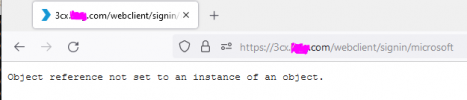
1640163250350.png

  • 3CX Version: Enterprise Annual 18.0.234
  • Server OS Debian 10
  • Is the 3CX Server Hosted and where? on prem
  • IP Phone none
  • Provisioning Method: na
  • Trunk Provider or Gateway Make/Model : multiple
  • Has the Firewall Checker passed: YES
  • Are custom Phone Templates being used: na
 
Hello,
since today we have issues with SingleSignOn
When clicking on Microsoft the following error shows up:
Object reference not set to an instance of an object.
View attachment 26714

  • 3CX Version: Enterprise Annual 18.0.234
  • Server OS Debian 10
  • Is the 3CX Server Hosted and where? on prem
  • IP Phone none
  • Provisioning Method: na
  • Trunk Provider or Gateway Make/Model : multiple
  • Has the Firewall Checker passed: YES
  • Are custom Phone Templates being used: na
Hi!

The first thing you should do is updated your V18 to the latest version which is build 18.0.2.314.

From there on, does this happen from other PCs as well and other browsers?
Can you log in using Ext/Password?
Does the same happen when you try to SSO to the Management Console instead of WebClient?
 
Hello
It happens also on other PCs/Browsers.
Yes login with ext/pw ist possible
Yes also sso to management console is affected

the update to U2 is planned for Jannuary, don't want to do it before the holidays.
 
Hello
It happens also on other PCs/Browsers.
Yes login with ext/pw ist possible
Yes also sso to management console is affected

the update to U2 is planned for Jannuary, don't want to do it before the holidays.
Send me the FQDN in a PM, maybe I can check from there to get an idea, but generally for logs and looking into this further I would need you to be on the latest update.

Let me see if I find something though.
 
@voip-toni There is something strange going on with your installation, normally the 3CX should send you a 302 redirection to go to the MS login screen, etc, however you are getting a 500 error.

So this most likely means an issue with nignx. I see you are using a Custom FQDN, have you been doing anything with the nginx.conf file?
Another thing you could do is put the 3CX into Verbose, then do another attempt, then open the "3cxManagementConsole.log" and see if that give you any clues.
 
nginx.conf was not touched

here is something from the verbose log "Webclient was not authenticated. Failure message: No principal."

2021/12/22 11:21:14.268|5962|0064|Trc|[Microsoft.AspNetCore.Hosting.Diagnostics] Request starting HTTP/1.1 GET http://3cx.fqdn.com:443/api/File/downloadFile?filesystem=4&path=Instance/3cxManagementConsole.log - -
2021/12/22 11:21:14.269|5962|0064|Dbg|#2288214 (traceid=0HMCHVSBU68SL:00000006) START: GET https://3cx.fqdn.com:443/api/File/downloadFile
2021/12/22 11:21:14.269|5962|0064|Trc|[Microsoft.AspNetCore.Authorization.DefaultAuthorizationService] Authorization was successful.
2021/12/22 11:21:14.269|5962|0064|Trc|[Microsoft.AspNetCore.Routing.EndpointMiddleware] Executing endpoint 'ManagementConsoleJS.Controllers.FileController.DownloadFile (3CXManagementConsole)'
2021/12/22 11:21:14.269|5962|0064|Trc|[Microsoft.AspNetCore.Mvc.Infrastructure.ControllerActionInvoker] Route matched with {action = "DownloadFile", controller = "File"}. Executing controller action with signature Microsoft.AspNetCore.Mvc.IActionResult DownloadFile(System.String, _3cxFilesystemImplementations.FileSystemType) on controller ManagementConsoleJS.Controllers.FileController (3CXManagementConsole).
2021/12/22 11:21:14.269|5962|0064|Trc|[Microsoft.AspNetCore.Authentication.Cookies.CookieAuthenticationHandler] Webclient was not authenticated. Failure message: No principal.
2021/12/22 11:21:14.269|5962|0064|Trc|[Microsoft.AspNetCore.Authorization.DefaultAuthorizationService] Authorization was successful.
 
This was for a file download, try to search if there is anything "signin/microsoft"
 
Status
Not open for further replies.