System DOWN, AWS IP does not match 3CX portal record

Status
Not open for further replies.

serious1

Free User
Joined
Jan 1, 2022
Messages
7
Reaction score
0
Been working fine since December, noticed on cell the client would not connect. Getting emails that folks get "dead air" To date I have not needed a partner, but one serving WV would be awesome.

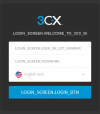
Somehow I just got this but doubt it will work...
1645550769611.png
 
Last edited:
if the IP doesn't match your FQDN, that's going to be the cause of several issues.

Can you login to the management console via IP? If so, go to settings, network, switch to dynamic, wait 5 minutes, switch back to static (and make sure the correct static is present)
 
  • Like
Reactions: Evolute IT
I can not log on either. then the prompt devolved to what I posted.

AWS has a 53.x.x.x and 3CX portal shows a 35.x.x.x Reboot did not help, will again since nothing to lose.
 
What happens when you access the IP : Port (usually 5015 but could be anything)?
 
You should definitely confirm if the IP the FQDN is resolving to is the correct one or not.

Try running a DNS lookup for the FQDN here: https://toolbox.googleapps.com/apps/dig/

If this does not match the IP you see in AWS then you should try what @SweetAction said:

1. Use the following in a browser to try and gain access to the Management Console:
https://<AWS_PUBLIC_IP>:5001
or
https://<AWS_PUBLIC_IP>:443

2. If you get the 3CX MC login page, login and go to Settings.
3. Click on Network and and check the IP in the "Enter your static public IP" field.
4. If it's the same as the one you see when running the Google DNS lookup, correct it by replacing it with the AWS IP.
5. The, go to "Dashboard >> Services" and restart the 3CX System Server.
7. Run the Google DNS lookup again until the FQDN resolves to the AWS IP. When it does, all 3CX clients should automatically start connecting when global DNS propagation completes.

If in step 4 you do not see AWS's IP try the steps @SweetAction mentioned:
go to settings, network, switch to dynamic, wait 5 minutes, switch back to static (and make sure the correct static is present)


Note: If this VM does not have a static IP, you might want to consider switching to dynamic and leaving it there. Do bear in mind though that we recommend using a static IP on your VM for 3CX Instances in production environments.
 
So I just gave up because 3cx was no help. Their DNS record for me could be adjusted at 3cx.us. So in AWS if using an EC2 the 3cx template does not provision a static address. If the instance reboots you get a random address. Suddenly no sets connect. Apparently our cellphones and such have been down all day. The pfSense firewall will forward and reverse DNS spoof to the new AWS address, but I am not getting in still. Guessing TLS, and somehow it knows the firewall here is "in the middle" SSH after one try won't allow me to connect. This is enough of a free demo that it will take me hours to re-make my old configuration.......

Someone at 3CX should be responsible for the template, spent as much runaround time with them and a nice partner who said they could not help me and asked how I got their information... From 3CX where else?
 
This happened to me a couple weeks ago. Turns out that an older 3cx hosted instance spun up and took the FQDN. Did you have a testing instance somewhere else?

I took down the old 3cx hosted instance and rebooted the AWS instance and the problem was solved.

Are you able to login to your Admin console using the IP?
 
Last edited:
Just login to EC2, check the box next to your instance, click on ACTIONS, NETWORKING, then MANAGE IP ADDRESSES and add static (public) address. :) Select your instance - the only one listed, choose static IP and you should be good to go.

This isn't a failure on 3CX's side or Amazon's. Static public IP assignment isn't normally built into EC2 3rd party images. I'm not even sure how that would work. The 3cx image is free to deploy and is 3CX property. The resources used, ie disk space, memory, networking, bandwidth, IP Addresses etc are Amazon's and you are "leasing" them. Amazon makes it simple by allowing 3CX to store the 3Cx image on their servers to be rapidly deployed and preconfigured, but that's a convenience. It's just a default setup. The image can't purchase Amazon services on your behalf. It has no idea if you plan to run it as a testbed, part of a failover system, or what. Instead, you have to configure things the way that you want them.

Here is some info on setting up a static IP.
https://docs.aws.amazon.com/AWSEC2/...nce-addressing.html#concepts-public-addresses
 
Last edited:
Both this suggestion and elastic IP were tried and had greyed out areas, I shut down the instance thinking it was allocated thus not changable. Still greyed out. And I am not using the instance provided in the AWS catalog, but built out of this portal. Someone who works a federal contract with cloud engineering tried to help and was not sure why some things were not changable either. Elastic IPs stay with your account until deleted, The tier I am on is free so I think some items may be inactivated though 3cx.us portal builds the instance from a script, and I generate two keys in KMS for techsupport and pbxexpress. (once the script has those keys pulled down it just makes the instance config and 20 mins later I have a unconfigured 3CX.

Directions in this document: https://www.3cx.com/docs/cloud-pbx-amazon-aws/
 
Both this suggestion and elastic IP were tried and had greyed out areas, I shut down the instance thinking it was allocated thus not changable. Still greyed out. And I am not using the instance provided in the AWS catalog, but built out of this portal. Someone who works a federal contract with cloud engineering tried to help and was not sure why some things were not changable either. Elastic IPs stay with your account until deleted, The tier I am on is free so I think some items may be inactivated though 3cx.us portal builds the instance from a script, and I generate two keys in KMS for techsupport and pbxexpress. (once the script has those keys pulled down it just makes the instance config and 20 mins later I have a unconfigured 3CX.

Directions in this document: https://www.3cx.com/docs/cloud-pbx-amazon-aws/
Do you have a backup? Just redeploy and restore. Or if you want to make like easier, use PBXexpress to redeploy to Lightsail and restore the backup you have. The FDQN will reattach to the new instance.
 
It's possible that you're running into a firewall issue. It's been a couple years since we set ours up initially and both 3cx and Amazon have been through changes. Without really researching it, it's hard to say for certain. I suspect that's going to be the case for a lot of people. Most businesses may only set up a phone system once or twice every few years (I recently replaced a PRI based system on a token ring network!). Phone system vendors on the other hand get paid to troubleshoot problems for other businesses so it's unlikely they will spend a lot of time researching solutions for you either. 3CX is already providing a phone system for free. So whichever way you turn, you're unlikely to get much more than simple answers to simple questions to go along with the free phone system and free cloud server. For troubleshooting you'll likely need to become an expert or hire one.

With that said, since you have yet to configure a working system and given the problems that you're having, my suggestion would be to wipe out what you have and start from scratch.

I would recommend using the 3cx hosting which I believe has the 1st year free and if so then you would have a full year of a full phone system at no cost and basically provisioned, updated, and monitored for free as well. (We don't have hours deployed this way so I'm not entirely familiar with the exact details)

Alternatively, you could do as we did and deply an amazon image from Amazon's repository using these instructions:

https://www.3cx.com/docs/pbx-amazon-aws-marketplace/

Note: while initially appearing similar, this is a different set of instructions from what you used. Every step is listed including creation of the static IP address.... And I just realized something doesn't make sense.....I've never deployed using the "PBX Express" so I may be missing something obvious to those who use it, but there has to be a public IP assigned to the system that can be reached from the outside world...PBX Express isn't an exception. But you didn't have a public IP address when you first posted the question so off the top of my head I'm thinking you either missed a step or the instructions are missing something important. I suppose that PBX Express could have some kind of existing link with Amazon so that it provisions a public IP address when you install but I don't think that's likely. Plus if it did actually do this, you wouldn't have had to set one up yourself. Maybe somebody else can answer that question since as I said we haven't ever used PBX Express.
 
So I just gave up because 3cx was no help. Their DNS record for me could be adjusted at 3cx.us. So in AWS if using an EC2 the 3cx template does not provision a static address. If the instance reboots you get a random address. Suddenly no sets connect. Apparently our cellphones and such have been down all day. The pfSense firewall will forward and reverse DNS spoof to the new AWS address, but I am not getting in still. Guessing TLS, and somehow it knows the firewall here is "in the middle" SSH after one try won't allow me to connect. This is enough of a free demo that it will take me hours to re-make my old configuration.......

Someone at 3CX should be responsible for the template, spent as much runaround time with them and a nice partner who said they could not help me and asked how I got their information... From 3CX where else?
You should know how to use AWS to be honest, or don't host it.

All you need to do is assign a static ip. Go to network and shift it to dynamic in 3cx settings, then go back to static. The DNS will update at most, 24 hours.
 
Right. I specifically said that if you stick with Amazon, you have to get a static IP address. The instructions at the link I sent you also said this. How do you expect phones to find the server otherwise? I suppose you could try some kind of DDNS but that assumes that your devices support it and even then, it will likely drop a call if/when the IP changes. Static IPs are cheap.

I also pointed out that if for some reason you don't want to buy one and you need more assistance, you should host it at 3CX on their servers. If you put it there, then 3CX can help you because it's their servers.

You're making this much more complicated than it needs to be. Buy a static IP which is about the price of a McDonald's value meal, and it will work fine but you don't get anyone to manage or troubleshoot your free system on a free server for you at no cost. Or host it at 3CX for free and get the help that you need. If neither of those are good enough options then I guess you're stuck because you won't find a cloud-based option any better.
 
Status
Not open for further replies.

Forum statistics

Threads
111,974
Messages
590,083
Members
164,901
Latest member
Silent_Guru