it111 Silver Partner Basic Certified Joined Apr 18, 2012 Messages 2 Reaction score 0 Feb 23, 2022 #1 unterstützt die aktuelle Ver. 18.0 (Build 444) TAPI mit der Windows APP oder Desktop APP - oder geht es gar nicht. Danke
unterstützt die aktuelle Ver. 18.0 (Build 444) TAPI mit der Windows APP oder Desktop APP - oder geht es gar nicht. Danke
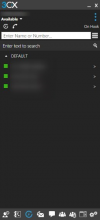
ChrisC_3CX Staff member 3CX Support Joined Dec 18, 2018 Messages 4,594 Reaction score 1,365 Feb 23, 2022 #2 You should be able still use this with the Legacy Windows App(Screenshot below) but I'm afraid it will not work with the v18 Desktop App.
You should be able still use this with the Legacy Windows App(Screenshot below) but I'm afraid it will not work with the v18 Desktop App.
it111 Silver Partner Basic Certified Joined Apr 18, 2012 Messages 2 Reaction score 0 Feb 23, 2022 #3 ok but how can i use that - i install 3CX TAPI with the 3CX Plugin - but is still not working
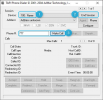
ChrisC_3CX Staff member 3CX Support Joined Dec 18, 2018 Messages 4,594 Reaction score 1,365 Feb 23, 2022 #4 As I cannot check with your own software you can use one that I know works to confirm that everything with the 3CX App and our TAPI driver. Try downloading this http://www.itecsoft.de/download/phone.zip Click to expand... Run it and check that: 1. The extension number you configured is in the drop down list and selected. 2. You can start the Session 3. You can make a call to 777 Does this work?
As I cannot check with your own software you can use one that I know works to confirm that everything with the 3CX App and our TAPI driver. Try downloading this http://www.itecsoft.de/download/phone.zip Click to expand... Run it and check that: 1. The extension number you configured is in the drop down list and selected. 2. You can start the Session 3. You can make a call to 777 Does this work?