Solved Teams Direct Routing: Users script is empty

Status
Not open for further replies.

TheYves

Customer
Joined
Apr 20, 2014
Messages
18
Reaction score
3
Hi

I'm having troubles setting up direct routing for teams. I had no issues till step 4, which generates an empty users script for me. I can see, that the SBC has been correctly registered in the teams admin center. I have one test user which has been synced via Office 365 user sync. We have a 3CX professional license, might that be the issue?


Thanks in advance
 

Attachments

$users_ids = @() can be empty out of the following 2 reasons

a) the user is not licensed in MS with the add-on Phone System
b) the user has no assigned office phone number in an e164 format in the admin.microsoft.com portal
c) you have not configured MS integration and user sync before enabling Teams DR

1628770681881.png
 
Last edited:
  • Like
Reactions: Evolute IT
Hi Stefan

Thanks for your help.

It was indeed reason "a". I've added the Phone System license to the user and was able to generate a script which now contains the user. But when I execute the script, I get the following error:

Set-CsUser: Cannot modify the parameter: "OnPremLineURI" because it is restricted for the user service plan: MCOProfessional.

Google said, I might have to remove the Domestic Calling license from the user, but there's no such license assigned to the user.

Do you have any ideas?
 
Hi Stefan

Thanks for your help.

It was indeed reason "a". I've added the Phone System license to the user and was able to generate a script which now contains the user. But when I execute the script, I get the following error:

Set-CsUser: Cannot modify the parameter: "OnPremLineURI" because it is restricted for the user service plan: MCOProfessional.

Google said, I might have to remove the Domestic Calling license from the user, but there's no such license assigned to the user.

Do you have any ideas?
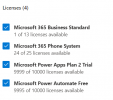
Which license does the user have? And do you have any remain of previous Teams configs?
 
These are the licenses attached to the user. What kind of previous Teams configs do you mean? Where could I find them?

1628772877760.png
 
These are the licenses attached to the user. What kind of previous Teams configs do you mean? Where could I find them?

View attachment 23541
In the Teams Admin Center, go to Users > open that same user, check in Details if any config is already there.

Also, how long ago did you assign the Phone System license?
 
Last edited:
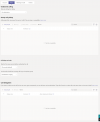
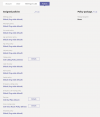
Do you mean these configs?

1628773283747.png 1628773300145.png
 
Okay. That looks kinda fine.

How long did you wait once the license Phone System was added? It can take up to 24 hours for the system to realize it has been added, it's not instantaneous.
 
It has been 50 minutes since I've added the license.
Well, then I'll wait until tomorrow.
Thanks for your superfast help.
 
  • Like
Reactions: Evolute IT
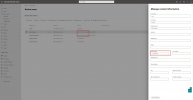
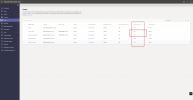
you can see this in the teams admin page if they know you have the license attached, it can really take 24h.
It must write ON in the column Phone System

1628774668466.png
 
  • Like
Reactions: Evolute IT
I just tried it again and it worked. So I just had to be a little bit more patient. :-)
Thanks for your help!
 
I just tried it again and it worked. So I just had to be a little bit more patient. :)
Thanks for your help!
Glad it worked!
 
Status
Not open for further replies.

Members Online Now

No members online now.

Forum statistics

Threads
111,831
Messages
589,277
Members
164,660
Latest member
RJenkinsROCK