Teams Rooms equipment

CFP

Premier Customer
Joined
Sep 25, 2020
Messages
64
Reaction score
16
Hi Again guys,

so i've stumbled upon another scenario, we have some conference phones yealink 960's (or something to that effect) - These conference phones all use an identical outbound dialing number as we don't want customers calling the phones directly.

We're in the process of replacing these with some Teams Rooms equipment however when running the generated PowerShell script the set-csuser command fails with teh following:
"Microsoft.Teams.ConfigAPI.Cmdlets.internal\Set-CsUserGenerated : 442077777777 is assigned to another user"

is there a way to set multiple "users" with generic outbound numbers?

On a separate note are there any plans to integrate teams rooms equipment in a more fluid manner, currently i have to set an exchange online license to the account in order to sync it with 3CX.

There is also some deprecated commands in the generated script, incase 3CX are not aware.
WARNING: OnPremLineURI will be deprecated. Please use LineURI to update user's phone number.

thank you in advance
C.
 
Hi!

however when running the generated PowerShell script the set-csuser command fails with teh following:
"Microsoft.Teams.ConfigAPI.Cmdlets.internal\Set-CsUserGenerated : 442077777777 is assigned to another user"
This is obviously some limitation MS has, so we can't do much about that, but from a 3CX perspective, you could either have all Conference Phones assigned to the same 3CX Extension, or have them set as different ones with different numbers to satisfy Teams, then in the 3CX Outbound Rules, make a rule that any call made by any of those extensions uses the same Caller ID that you have set it the rule, this way overriding whatever is set in Teams or in the 3CX Extension.


On a separate note are there any plans to integrate teams rooms equipment in a more fluid manner, currently i have to set an exchange online license to the account in order to sync it with 3CX.
You can see some of the improvements we have planned here:
https://www.3cx.com/blog/releases/roadmap-microsoft-365/
Regarding Teams equipment, in order for any integration to happen with 3CX, the equipment needs to first be correctly configured with Teams, whatever that entails.
Note that we do not test such equipment, we only test with the Teams Clients, so I would highly recommend testing it first before buying it.

Why not switch to using the 3CX WebMeeting?
All you need is a TV, miniPC, a good USB WebCam and and conference room USB speaker and you are good to go, all of which will probably cost less than the cheapest Teams Conference room setup.
Just throwing ideas out...
 
  • Like
Reactions: CFP
Hi!


This is obviously some limitation MS has, so we can't do much about that, but from a 3CX perspective, you could either have all Conference Phones assigned to the same 3CX Extension, or have them set as different ones with different numbers to satisfy Teams, then in the 3CX Outbound Rules, make a rule that any call made by any of those extensions uses the same Caller ID that you have set it the rule, this way overriding whatever is set in Teams or in the 3CX Extension.


You can see some of the improvements we have planned here:
https://www.3cx.com/blog/releases/roadmap-microsoft-365/
Regarding Teams equipment, in order for any integration to happen with 3CX, the equipment needs to first be correctly configured with Teams, whatever that entails.
Note that we do not test such equipment, we only test with the Teams Clients, so I would highly recommend testing it first before buying it.

Why not switch to using the 3CX WebMeeting?
All you need is a TV, miniPC, a good USB WebCam and and conference room USB speaker and you are good to go, all of which will probably cost less than the cheapest Teams Conference room setup.
Just throwing ideas out...
thanks once again nick!

I think your idea of an outbound rule forcing the specific extensions to use a specific number may be the workaround as each set of equipment requires its unique email address (read that as login credentials) in order to operate.

from some testing the equipment works with 3CX .. it just requires the additional license in order to sync it from office 365 to then be able to get it to work with team direct routing.

unfortunately, web meeting is out of remit, teams allow much easier use of the meeting rooms for our end users who have in the past struggled with a mini PC, webcam setup (hard to believe i know).
 
thanks once again nick!

I think your idea of an outbound rule forcing the specific extensions to use a specific number may be the workaround as each set of equipment requires its unique email address (read that as login credentials) in order to operate.

from some testing the equipment works with 3CX .. it just requires the additional license in order to sync it from office 365 to then be able to get it to work with team direct routing.

unfortunately, web meeting is out of remit, teams allow much easier use of the meeting rooms for our end users who have in the past struggled with a mini PC, webcam setup (hard to believe i know).
Fair enough!

In that case, then yes, Outbound Rule is the way to go.
 
hey Nick,
so now that we have calls working again in teams, i'm working on the outbound caller ID change with the outbound rules.
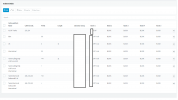
i've tried to set the rule to apply to 3 extensions in particular but it doesn't seem to target the extensions... if i move the rule up the list above the current rule that applies to all extensions and does nothing to the callerID... the new rule (targetting specific extensions) applies to all extensions regardless if they are listed or not?
 
Can you share a screenshot of your Outbound Rules?
Also mention which extension numbers your Team Extension are.
 
Can you share a screenshot of your Outbound Rules?
Also mention which extension numbers your Team Extension are.
1639749799643.png
sure, the bottom two rules are the new ones specifically targetting the extensions. if i make the call as is, my ext (100) shows my DDI

if i move the 2 bottom rules up and remove my extensino (100) from the rule it still shows the outbound ID even though it's not a targeted extension. hope that makes sense?
 
ok, I think I sussed it out.. I had also added the extension groups into the rule.. removing these seems to only apply to the dedicated extensions.
 
ok, I think I sussed it out.. I had also added the extension groups into the rule.. removing these seems to only apply to the dedicated extensions.
That's what I was about to suggest, good to hear!
 
We were seeing this same warning with our phones. All our staff have the same external number with a different internal extension. I would assume this is pretty common?
The error we were getting: Microsoft.Teams.ConfigAPI.Cmdlets.internal\Set-CsUserGenerated : 15555551212 is assigned to another user.

I did some digging and this is actually a bug in the set-csuser app. Apparently this will be fixed in a newer release but for now the set-csuser can be split into 2 commands that do work:

Set-CsUser -Identity [email protected] -EnterpriseVoiceEnabled $true -HostedVoiceMail $true
Set-CsPhoneNumberAssignment -identity [email protected] -PhoneNumber "+15555551212;ext=100" -PhoneNumberType "DirectRouting"

NOTE: Even when they fix the issue with Set-CsUser, the "OnPremLineURI" option has been deprecated in favour of just "LineURI".
 
  • Like
Reactions: NickD_3CX

Members Online Now

Forum statistics

Threads
111,831
Messages
589,277
Members
164,660
Latest member
RJenkinsROCK