• We do not provide troubleshooting help for unsupported phones. Please try with a supported phone.
  • V20 Update 10 Alpha 2 Learn more

The call doesn't answer at the first time

Status
Not open for further replies.

Mike94

Silver Partner
Advanced Certified
Joined
May 31, 2019
Messages
53
Reaction score
12
We upgraded an on-premise Linux 3CX (16SC) to V18 at a busy Doctors surgery and the call queue users are experiencing the strange behaviour with inbound calls where they lift the receiver to answer the call and still have to press "Answer" to accept the call even though they have already lifted the receiver. This can happen a few calls in a row and then they can go back to answering the calls by lifting the receiver normally again. I have observed this myself and I have seen that they have replaced the hand-piece properly. Once they have lifted the receiver and expect the caller to be in the ear-piece they can see it's still indicating on the phones screen so they have to press the answer button to complete the call answering process.

The phones onsite experiencing this are X6U with firmware 2.4.11

We have contacted Fanvil, and we sent them some .pcap traces captured when the problem occurred. They came back to us after investigating these logs, and they said that the problem originates from the 3CX not from the phones. We have also swapped the Fanvil phones with Yealinks, but the issue was still occurring, so we believe that the problem doesn't originate from the IP phones.

This issue has only started since the V18 update.

Any suggestions would be greatly appreciated,

Mike
 
Hi Mike!

This is strange as I'm not aware seeing any other reports similar to this. Could it be that the Queue Ring Time is set to a fairly small value, e.g. 5 seconds, and it happens often that the split second they try to answer the call, the Q stops polling and starts again?

I haven't seen what Fanvil saw in the logs, so I am just guessing, but could you try doubling the "Ring Time" value of the Queue as a test? Maybe just for a few hours in a day.

One more thing I have seen may years ago (unforgettably with some Cisco SPA phones) is that the users had taken the small clip that is underneath the handset, and when putting it down, it latched for a moment, enough to hang up, but then rebound a little so effectively the handset was "off hook". When the nest call came in, they were lifting it and it was doing nothing.
Maybe check that clip too?
 
Hi Mike!

This is strange as I'm not aware seeing any other reports similar to this. Could it be that the Queue Ring Time is set to a fairly small value, e.g. 5 seconds, and it happens often that the split second they try to answer the call, the Q stops polling and starts again?

I haven't seen what Fanvil saw in the logs, so I am just guessing, but could you try doubling the "Ring Time" value of the Queue as a test? Maybe just for a few hours in a day.

One more thing I have seen may years ago (unforgettably with some Cisco SPA phones) is that the users had taken the small clip that is underneath the handset, and when putting it down, it latched for a moment, enough to hang up, but then rebound a little so effectively the handset was "off hook". When the nest call came in, they were lifting it and it was doing nothing.
Maybe check that clip too?
Hi Nick!

Thank you so much for taking your time and sharing your ideas. I have checked the queue Ring Time, however it is set to 30 seconds, therefore it shouldn't cause the issue. When I was onsite recently I swapped the phones temporary with Yealinks, however the problem was still occurring the same way it had been before, so I don't think so that a clip underneath the handset could be guilty, but that's a good thing to check nonetheless!

Today my customer said that the problem has actually become worse and in some cases they have to press the Answer button even twice.

If you have any more ideas, I would be more than happy to try anything which I haven't tried yet.

Thanks a lot again
 
Well this is strange and I think this may need a bit on digging into the capture or 3CX logs.
First thing you should do is upgrade your IP Phones to the latest firmware, which for the X6U is 2.4.12.

If the IP Phones are either Local LAN or Remote STUN (SBC might be harder), start a packet capture on the 3CX Server and leave it running a while until someone says it happened.
Then stop the capture, open it and try to find the call to see if in fact the IP Phone sent the "200 OK" message to try and answer the call or not.

You shouldn't let the capture run for too long, but if it happens so often as you say, it should be OK.

Those would be my first steps to try and get an idea what is causing this.
 
Last edited by a moderator:
Well this is strange and I think this may need a bit on digging into the capture or 3CX logs.
First thing you should do is upgrade your IP Phones to the latest firmware, which for the X6U is 2.4.12.

If the IP Phones are either Local LAN or Remote STUN (SBC might be harder), start a packet capture on the 3CX Server and leave it running a while until someone says it happened.
Then stop the capture, open it and try to find the call to see if in fact the IP Phone sent the "200 OK" message to try and answer the call or not.

You shouldn't let the capture run for too long, but if it happens so often as you say, it should be OK.

Those would be my first steps to try and get an idea what is causing this.
Hi Nick,

I've checked the firmware on the Fanvils and all of them are running the latest version 2.4.12, which you mentioned.

All the phones are provisioned locally. I did the packet capture before and it showed the 200 OK message successfully.

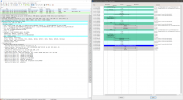
I think however that the 200 OK message is only generated as soon as the user presses the Answer button, as in most cases the phone "thinks" that the call is still ringing, even though the user has picked up the handpiece, therefore it doesn't send the 200 OK at the first time, and additional action involving pressing the Answer key is required to setup the call.

I have attached the screenshot, showing a sample of the Wireshark trace when the problem occurred, and we can see that the 200 OK message is present as expected.

I'm going to visit the site tomorrow and do a few experiments involving deleting and recreating some users, factory defaulting the phones, and creating a new identical call queue.

We've just reached a state when both Fanvil and 3CX support keep blaming each other, therefore I need to think out of the box and check all the possible things, in order to try to address this issue.

Thank you for your advice!
 

Attachments

  • Wireshark_Trace.png
    Wireshark_Trace.png
    628.6 KB · Views: 10
Last edited by a moderator:
That sounds very likely, the test you ideally would want to do when you go on site is, take a small switch with you that can do port mirroring (not advertising, but the D-Link DGS-1100-08P do an excellent job at this...).

Then, plug the phone into one port, Laptop into another and the uplink, then port mirror all traffic from/to the phone port to the laptop port.

On the laptop open Wireshark and start and in the filter enter something like "ip.addr==10.0.0.100 and sip" (replace withe IP of the phone) and watch the traffic live.

This way, you will know exactly when the phone is sending the 200 OK, when they lift the handset, or when they press the button.

This would be what my first action would be at least...
 
Status
Not open for further replies.

Forum statistics

Threads
112,149
Messages
590,965
Members
165,170
Latest member
SupportRock