Trying to upgrade AWS EC2 instance gives error "It seems you don't have the necessary permissions to create a machine."

OpenedBy

SOHO User
Joined
Jul 13, 2019
Messages
40
Reaction score
2
I have spent all day on this going around in circles so it's time to ask for help.
We have a v18.0 Update 9 (Built 35) installation and today our free licence expired. I have been trying to upgrade to v20 without any success. I have followed the instructions under
Re-deploying your 3CX?​

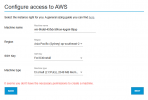
Hosting 3CX in Amazon AWS and all goes well until the very end when I click the final NEXT button I get the error "It seems you don't have the necessary permissions to create a machine." I have recreated the IAM user, with secrets and recreated the SSH key, checked and double checked everything but it is just not working for me.
2025-04-01 16_22_12-3CX PbxExpress and 25 more pages - Personal - Microsoft​ Edge.png

I even changed the type of the existing machine in AWS to a t3.small (it was t2.small) and tried the upgrade option within the 3CX admin console but after logging me out and me logging back in to check the events log it just says
Your 3CX Debian OS failed to update
3CX Phone System Management Console ID: 10012

Internet searches for the It seems you don't have the necessary permissions to create a machine error have been fruitless for me, I haven't found a solution that works for me. Hoping someone here may be able to give me a couple of pointers of where to look next.
 
Hi, are you really exceptionally certain that your AWS deploy config is all proper and current ?
I haven't deployed to AWS but I have deployed a bunch of instances using the magic deploy 3cx tool with OVH Public Cloud (which was basically an AWS-style hosting / same core flow / same concent / just different data warehouse vendor - I think). In my case it was necessary to very carefully read and follow the directions to get the install to proceed properly. The docs with 3cx were flawless when followed carefully. So all I could suggest is to spin up a fresh VM / following very carefully the hints as if you are doing a new-clean AWS VM 3cx deploy 'as if never before' (?)

ie, it sounds like something is wrong with info you provide to the installer, and it is telling you - precisely - that "you have given info which lacks suitable permission to proceed, sorry". More or less?

Alternatively if you are not closed to the idea of hosting elsewhere, that might be another easy way to move things forward (ie, towards the goal of a working 3cx instance on v20) - but not necessarily on the same AWS where your v18 resides presently..

Tim
 
Hi @fortech, thanks for your response. It is possible that something is not configured correctly in the VM. I installed that system in AWS around 2017 I think and have not touched it since but have done all the updates from within 3CX. Possibly the initial installation is too old to upgrade. Currently I'm trying to get the free hosted 3CX option working. If that doesn't work I'll completely kill the existing installation and try to start again from scratch as our licence has now expired and we have no phones operating anyway.
 
Hey @OpenedBy
Regarding the error message you get, It is in fact related to AWS config so I recommend you go over this guide and make sure you've done everything mentioned.
https://www.3cx.com/docs/hosted-pbx-aws/

The existing system you mention should not have anything to do with the error. Everytime you deploy via your customer account a new machine will be created for the chosen hosting provider. That said, I'd not delete it just yet, better keep it until you have the new system running.
 
Hey @OpenedBy
Regarding the error message you get, It is in fact related to AWS config so I recommend you go over this guide and make sure you've done everything mentioned.
https://www.3cx.com/docs/hosted-pbx-aws/

The existing system you mention should not have anything to do with the error. Everytime you deploy via your customer account a new machine will be created for the chosen hosting provider. That said, I'd not delete it just yet, better keep it until you have the new system running.
@ChrisC_3CX thanks for that. I ended up getting it to work, I think the issue was that I hadn't managed to subscribe to the Debian 12 Bookworm OS successfully. Once I subscribed and then ran through the installation again it all worked. Thanks again for your help guys.
 
  • Like
Reactions: fortech

Members Online Now

Forum statistics

Threads
111,832
Messages
589,286
Members
164,662
Latest member
DejanMDS