- Joined
- Jan 10, 2022
- Messages
- 43
- Reaction score
- 13
Sorry if this is a bit long....
I've never been able to access the FQDN from outside the LAN, but sort of sidetracked that as not being too important. Then I noted that while my mobile rang if there was a call when I was away from the place, I was unable to answer such calls, Originally thinking that was a problem with the Android app, I posted in that forum, but then it occurred to me that the mobile would ring because outgoing traffic was fine, but I couldn't answer for the same reason (whatever it is) that was blocking external access to our FQDN...... So, I'm reposting here in the hope that someone can assist (apologies if you have already read this in the Android forum.)
Answering calls on the mobile over WiFi with a local IP address on the LAN is fine, but as with the Recents not loading, answering an incoming 3CX call on the mobile over 4G while away does not work either.... You can answer, but the result is silence and the caller does not know that the call has been answered. As above, I'm thinking it's because there's no external access.
Attempting to access https://xxxxxx.3cx.uk:5001/ gets a "connection refused" error, and on the LAN we can only access it using the local IP address. nslookup does not resolve the server IP address either.
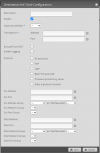
Ports are open on our router as attachment below. The firewall has a green tick, *BUT* fails the full cone NAT tests when run.
Now I suspect our rather complex setup might be the problem. Our Internet access is via a leased fibre shared with another entity, delivered to each of us via a Ubiquiti EdgeRouter 6p - one ethernet port connecting to our router, another to theirs.
So - the question is, do I need to have ports on the EdgeRouter open too? (As in, is that why the full cone NAT tests fail, and correspondingly, why we are having trouble with the Android app and can get no FQDN Access from externally?) I'd be terrified to somehow screw up their settings!! (unsure whether the NAT can be done for one ethernet port on it only, without affecting the other....)
I would point out that all the on-premise phones are working just fine, doing everything they should, incoming and outgoing calls, voicemail, etc.... just no external access to the FQDN and not able to answer calls/see Recents list on the Android app off-premises.
Sorry this is long winded, thanks for reading this far!

I've never been able to access the FQDN from outside the LAN, but sort of sidetracked that as not being too important. Then I noted that while my mobile rang if there was a call when I was away from the place, I was unable to answer such calls, Originally thinking that was a problem with the Android app, I posted in that forum, but then it occurred to me that the mobile would ring because outgoing traffic was fine, but I couldn't answer for the same reason (whatever it is) that was blocking external access to our FQDN...... So, I'm reposting here in the hope that someone can assist (apologies if you have already read this in the Android forum.)
Answering calls on the mobile over WiFi with a local IP address on the LAN is fine, but as with the Recents not loading, answering an incoming 3CX call on the mobile over 4G while away does not work either.... You can answer, but the result is silence and the caller does not know that the call has been answered. As above, I'm thinking it's because there's no external access.
Attempting to access https://xxxxxx.3cx.uk:5001/ gets a "connection refused" error, and on the LAN we can only access it using the local IP address. nslookup does not resolve the server IP address either.
Ports are open on our router as attachment below. The firewall has a green tick, *BUT* fails the full cone NAT tests when run.
Now I suspect our rather complex setup might be the problem. Our Internet access is via a leased fibre shared with another entity, delivered to each of us via a Ubiquiti EdgeRouter 6p - one ethernet port connecting to our router, another to theirs.
So - the question is, do I need to have ports on the EdgeRouter open too? (As in, is that why the full cone NAT tests fail, and correspondingly, why we are having trouble with the Android app and can get no FQDN Access from externally?) I'd be terrified to somehow screw up their settings!! (unsure whether the NAT can be done for one ethernet port on it only, without affecting the other....)
I would point out that all the on-premise phones are working just fine, doing everything they should, incoming and outgoing calls, voicemail, etc.... just no external access to the FQDN and not able to answer calls/see Recents list on the Android app off-premises.
Sorry this is long winded, thanks for reading this far!
Last edited: