Solved Unable to access remote phonebook. 3CX Hosted. Yealink T4X

Status
Not open for further replies.

Ocean Support

Silver Partner
Joined
Aug 28, 2024
Messages
37
Reaction score
5
Hi there,

Since about a week ago we've been unable to access our remote phonebook.
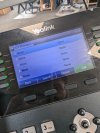
Everything looks okay and it's definitely being accessed as incoming calls are recognised, but any time we go to look at the phonebook it looks like the attached image.

I have disabled "Only Trusted Certificates" in the phone settings and still have no joy.

Is anyone able to give me any insight on this issue please?
 

Attachments

  • PXL_20240909_092647201.jpg
    PXL_20240909_092647201.jpg
    916.4 KB · Views: 15
log in to the GUI of the phone and see if you can get at the XML via URL.

If not, check firewall/DNS.
 
log in to the GUI of the phone and see if you can get at the XML via URL.

If not, check firewall/DNS.
Thank you for your response.

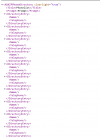
It's interesting, upon going to the XML URL, it looks like the attached. That just looks like blank entries. But the phonebook is clearly populated on the 3CX system.

1725896819544.png
 
Are you using a custom template?
 
No I exported a blank template from 3CX and populated that.
 
What do you mean? For the phone provisioning are you using a supported template?
 
Oh sorry, yes we are.
 
Still having trouble with this issue. Firewall and DNS has been checked but we're not sure what exactly needs checking.
 
I have managed to resolve this issue. I'm not sure why but possibly a new change from 3CX has changed the way that it reads remote phonebooks on Yealink devices. I had to move the names over to the "First Name" column instead of "Company" and the phone number from "Business Number" to "Mobile Number".
 
That was always the way in v16->v18->v20 never changed
 
  • Like
Reactions: JohnS_3CX
That was always the way in v16->v18->v20 never changed
That's odd.
It worked fine for months then suddenly didn't?
 
Strange... Its always only the mobile number on hardware phones. Also the company name was never shown there.
 
Hosted Pro / Enterprise full system or 3CX FREE / SMB?

The FREE / SMB does not have the phonebook feature for IP Phones.
 
Hosted Pro / Enterprise full system or 3CX FREE / SMB?

The FREE / SMB does not have the phonebook feature for IP Phones.
It's Enterprise, but I managed to fix the issue as per my comment above.
I'm just perplexed why it just suddenly stopped working.
 
This has always been the case, it never changed at least from V15.5 that I remember.

There was never a time in between where we populated the phone books from other fields. It was always populated with "Mobile" "First" "Last" names only.
 
  • Like
Reactions: bitn2
This has always been the case, it never changed at least from V15.5 that I remember.

There was never a time in between where we populated the phone books from other fields. It was always populated with "Mobile" "First" "Last" names only.
Thats it what i said... That was always the way
 
  • Like
Reactions: JohnS_3CX
Status
Not open for further replies.

Members Online Now

Forum statistics

Threads
111,831
Messages
589,277
Members
164,660
Latest member
RJenkinsROCK