Solved Unable to get inbound faxes on v20

Status
Not open for further replies.

ChrisJohnsen

Customer
Joined
Jun 14, 2022
Messages
20
Reaction score
2
I am running V20, self hosted, and cannot get inbound faxing to work. Previously, everything worked great on V18. I have a Grandstreatm HT812 with 2 fax machines setup. I have them setup to send outbound faxes, and the inbound faxes were sent to 888 extension to receive faxes by email.

Since upgrade to V20, I cannot receive any faxes. I have removed the HT812, and setup only the inbound faxing to 888, however all fax calls are answered by my main Digital Receptionist. I have removed and re-added the DIDs for my inbound faxing, yet they still go to my main Receptionist. I reconfigured the HT812 in V20, and tried sending the inbound faxes to the fax machines, and still my main Receptionist answers, not fax machines.

I cannot figure out how to get the calls on my fax DIDs to go to extension 888 or to the Grandstream extensions. I need either to work, as we receive some orders from customers by fax.

Can anyone help or offer any contact for someone who can???
 
do other inbound DIDs get routed correctly? Have you tried adding a user for the FAX DID?
 
Even of the DID is assigned to another destination they are always routed to the IVR?
Which provider you are using?
 
Even of the DID is assigned to another destination they are always routed to the IVR?
Which provider you are using?
YES, ALL CALLS ARE GOING TO THE IVR.
My SIP provider is AT&T.
 
You'll haver to check with the PBX in verbose mode how the calls are coming in / the number that 3CX gets. Then you'll have to update your trunk config to use those numbers, otherwise 3CX will continue to not know where to route incoming calls and failback to the main (default) destination.
 
You'll haver to check with the PBX in verbose mode how the calls are coming in / the number that 3CX gets. Then you'll have to update your trunk config to use those numbers, otherwise 3CX will continue to not know where to route incoming calls and failback to the main (default) destination.
All inbound DIDs were being recognized in V18, that should not have changed in v20?
 
All inbound DIDs were being recognized in V18, that should not have changed in v20?
Maybe. You're using an unsupported provider (ATT) and 3CX has made a bunch of changes in how numbers are matched (everything in E164 format, etc) in newer version of 3CX.

The log will tell you what is being seen so you can make sure the trunk config matches.
 
Maybe. You're using an unsupported provider (ATT) and 3CX has made a bunch of changes in how numbers are matched (everything in E164 format, etc) in newer version of 3CX.

The log will tell you what is being seen so you can make sure the trunk config matches.
How do I turn on Verbose mode to check this?
 
How do I turn on Verbose mode to check this?
1712609688210.png

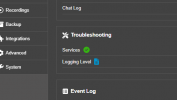
Then replicate the issue, generate support package, turn logging down, and review the files in the support package.

EDIT: You click the icon next to the logging level to change it. You click the icon next to "Support Info" to the right to download it.
 
Last edited:
View attachment 40721

Then replicate the issue, generate support package, turn logging down, and review the files in the support package.

EDIT: You click the icon next to the logging level to change it. You click the icon next to "Support Info" to the right to download it.
I have done this, and downloaded the support.zip file. Where will I look to see the incoming DID info?
Thanks,
Chris
 
OK, I can see the inbound call, it shows the DID I called (without the +1), it shows the system checking the time and the inbound rules, then shows a rule matched (which it says is unnamed), and sends the call to the IVR, based on this rule (?i guess).
Where would I find the "unnamed" rule?
 
Is it routed to the main trunk number?
 
I removed the +1 from the DID, and it has started working. Apparently you do not want +1 in front of all your DIDs.
 
I removed the +1 from the DID, and it has started working. Apparently you do not want +1 in front of all your DIDs.
That makes sense because you said:
it shows the DID I called (without the +1),
so to match, it would have to not have that.

As for if you need +1 or not - it's all about how your provider is sending the numbers. You need to match it on the 3CX side or you need your provider to send it differently.
 
  • Like
Reactions: Namik Eker
Glad to know this is resolved ;)
 
Status
Not open for further replies.

Latest Posts

Forum statistics

Threads
111,953
Messages
589,915
Members
164,850
Latest member
masvty