Unable to open Webclient.

Ladd

Premier Customer
Basic Certified
Joined
Oct 10, 2025
Messages
2
Reaction score
0
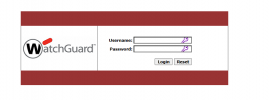
We recently upgraded to V20, we are trying to have our remote users sign into the webclient to make calls, but when trying to navigate to the system via the FQDN they are being blocked by a watchguard SSLVPN sign in page.
1760104058684.png
 
That's actually the port forwarding configured on your firewall, and it is set to the Watchguard firewall login page; the communication is not being blocked, but rather where TCP port 443 is forwarded to.

You need to port forward TCP port 443 to the 3CX system instead.
 
  • Like
Reactions: ChrisC_3CX
I've found where it was forwarding to the login page, I've disabled that rule and created a forward to 3cx. Now I am receiving a refused to connect. The FQDN works perfectly within the network and on the firewall rule I have it set with the FQDN as well.
 
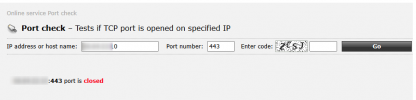
You want to double-check your forwarding rules as the port is showing closed:

1760106649059.png