- Joined
- Mar 24, 2017
- Messages
- 17
- Reaction score
- 3
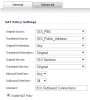
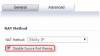
I'm currently testing the 3CX v15 PBX. I have it sitting behind a SonicWALL NSA2600 with Firmware 6.2.5.3-35n. I've followed the guide on how to setup SonicWALL to work with 3CX. The only addition I've made is a static route as I have 2 wan connections. I am unable to get the firewall check to pass. I'm hoping someone can provide some insight into what I may need to do. Here are screenshots of my setup:
Service Objects:

Service Groups:

NAT Policies:

Firewall Policy:

Static Route:

When I run the firewall checker the resolving stun works however everything else fails with an error of "unmatched mapping"
I've run the packet capture on the SonicWALL and it is forwarding the packets to the 3CX PBX. I am able to send and receive calls however I'm concerned that this could create unforeseen issues in the future.
Thanks for any help you can provide.
Service Objects:
Service Groups:
NAT Policies:
Firewall Policy:
Static Route:
When I run the firewall checker the resolving stun works however everything else fails with an error of "unmatched mapping"
I've run the packet capture on the SonicWALL and it is forwarding the packets to the 3CX PBX. I am able to send and receive calls however I'm concerned that this could create unforeseen issues in the future.
Thanks for any help you can provide.