- Joined
- Jan 19, 2020
- Messages
- 10
- Reaction score
- 0
Hi everyone,
I’ve been using 3CX since 2020, starting with version 16, always with the same FQDN provided by 3CX, and recently I upgraded to version 18. When I tried to upgrade to version 20, the auto-updater failed. I used the 3CX wizard to perform a fresh installation on a new Google Cloud Platform (GCP) VM. The installation went smoothly, but I encountered issues with the SIP trunks.
When I tried to access the SIP trunk settings, the system redirected me to the user page instead of allowing me to modify the trunk details. At that point, I panicked because the system was not working properly.
Given the urgency of the situation, and the fact that my VoIP provider authenticates by IP (meaning I can only register the SIP with the assigned IP, and requesting a change takes time), I decided to revert to a snapshot of the VM with version 18 that I had created beforehand.
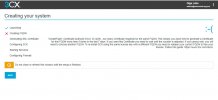
However, after several attempts to restore the snapshot or recreate the VM in GCP, including attaching cloned disks, I couldn’t get the system to function properly. I then tried a new installation using the 3CX wizard via the customer portal, but I got an error stating that I had exceeded the limit of 5 attempts to register the FQDN with Let’s Encrypt.
Without waiting for the FQDN to be released, I opted to release my license in the customer portal and install the system again with a new FQDN. The system is now running, but I’m facing a major issue: I can’t restore my backup because the system complains that the FQDN in the backup doesn’t match the current FQDN associated with the license.
My previous installation has:
• Over 2800 extensions
• About 300 call queues
• A SIP trunk with over 300 audio channels
I’m desperate and don’t know how to recover all this. The backup is extremely important, and I can’t afford to lose all of that configuration.
Has anyone experienced a similar situation, or does anyone know how I can proceed to restore the backup with the new FQDN or any other possible solution? I really need urgent help!
Thank you.
I’ve been using 3CX since 2020, starting with version 16, always with the same FQDN provided by 3CX, and recently I upgraded to version 18. When I tried to upgrade to version 20, the auto-updater failed. I used the 3CX wizard to perform a fresh installation on a new Google Cloud Platform (GCP) VM. The installation went smoothly, but I encountered issues with the SIP trunks.
When I tried to access the SIP trunk settings, the system redirected me to the user page instead of allowing me to modify the trunk details. At that point, I panicked because the system was not working properly.
Given the urgency of the situation, and the fact that my VoIP provider authenticates by IP (meaning I can only register the SIP with the assigned IP, and requesting a change takes time), I decided to revert to a snapshot of the VM with version 18 that I had created beforehand.
However, after several attempts to restore the snapshot or recreate the VM in GCP, including attaching cloned disks, I couldn’t get the system to function properly. I then tried a new installation using the 3CX wizard via the customer portal, but I got an error stating that I had exceeded the limit of 5 attempts to register the FQDN with Let’s Encrypt.
Without waiting for the FQDN to be released, I opted to release my license in the customer portal and install the system again with a new FQDN. The system is now running, but I’m facing a major issue: I can’t restore my backup because the system complains that the FQDN in the backup doesn’t match the current FQDN associated with the license.
My previous installation has:
• Over 2800 extensions
• About 300 call queues
• A SIP trunk with over 300 audio channels
I’m desperate and don’t know how to recover all this. The backup is extremely important, and I can’t afford to lose all of that configuration.
Has anyone experienced a similar situation, or does anyone know how I can proceed to restore the backup with the new FQDN or any other possible solution? I really need urgent help!
Thank you.