• We do not provide troubleshooting help for unsupported phones. Please try with a supported phone.
  • V20 Update 10 Alpha 2 Learn more

Users can not place calls on hold

Status
Not open for further replies.

Sunrise-IT

Free User
Joined
Jan 25, 2021
Messages
9
Reaction score
0
Just deployed 3cx into a client site.

All is working ok bar from being able to put calls on hold. The hold button doesnt do anything.

Latest version of 3cx with snom 300, 360 and Yealink T41P phones.

Also had a comment they cant transfer calls which may be linked to not being able to use hold.

Any one able to offer any clues?
 
  • 3CX Version,
  • Professional Annual
    Version Number16.0.1078
  • Server OS, Windows 10 V20H2
  • Is the 3CX Server Hosted and where? On site on a PC
  • IP Phone Make/Model/Firmware Snom300 8.7.3.25 (Also a couple of Snom 360, Snom 370SIP-T19P
  • Provisioning Method: Local
  • Trunk Provider or Gateway Make/Model : Voip Unltd.
  • Has the Firewall Checker passed: YES
  • Are custom Phone Templates being used: NO
This happens on all handsets on both internal and external.
If I configure the 3cx softphone I can put calls on hold so it just seems to be the physical pones.
Another weird issue came up this morning in that the directory we manually imported onto handsets all wiped.
 
Last edited:
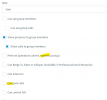
Do your extensions have relevant permissions?

1611762298281.png
 
No they dont.

Haha, so yeah thats it then I guess !
 
Unfortunately even though the options werent ticked it hasnt fixed it when they were. Allowed the transfer option, reprovisioned and rebooted but still cant put calls on hold.

Interesting the test extension I set up with the softphone does allow on hold, and it doesnt have those options ticked anyway.
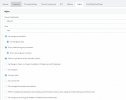
Do your extensions have relevant permissions?

View attachment 20354
 
Here are the settings the user has and still cant press hold.
 

Attachments

  • phelps.JPG
    phelps.JPG
    44.9 KB · Views: 41
@Sunrise-IT,

The rights are for controlling other extension calls, not your own calls. You should be able to transfer or put your own calls on hold by default. I noticed you're not running the latest 3CX Supported firmware for the phones or at least some of them. First thing I would suggest is:

• Factory Reset an affected IP Phones.
• Reprovision using 3CX's latest default template(just make sure that there are not template updates in the 3CX Management Console before provisioning).
• Update the firmware to the latest supported one and try again: https://www.3cx.com/support/phone-firmwares/

Also, are the phones and the 3CX PBX on different subnets or are there any network configuration peculiarities on that site?
 
@Sunrise-IT,

The rights are for controlling other extension calls, not your own calls. You should be able to transfer or put your own calls on hold by default. I noticed you're not running the latest 3CX Supported firmware for the phones or at least some of them. First thing I would suggest is:

• Factory Reset an affected IP Phones.
• Reprovision using 3CX's latest default template(just make sure that there are not template updates in the 3CX Management Console before provisioning).
• Update the firmware to the latest supported one and try again: https://www.3cx.com/support/phone-firmwares/

Also, are the phones and the 3CX PBX on different subnets or are there any network configuration peculiarities on that site?
No all phones are on the same subnet.

I tried updating firmware to latest version but the snom 300s for example just wont take it.

Is odd that its the same on every single phone and they have 3 different models of snom, and one yeahlink so the issue seems system wide.
 
I can't guarantee that the issue won't end up being identified as system wide, but we do have to get the firmware matter out of the way first.

Try upgrading a Snom 300 to the latest supported firmware manually using our guide found here: https://www.3cx.com/support/phone-firmwares/

Also, do note the BLF order mentioned under "Important note about BLF Layout" in our provisioning guide:
https://www.3cx.com/sip-phones/snom-300-320-360-370/

Just a side note, do bear in mind that all mentioned devices up until now, are in our EoL list. Are these devices being used in CTI mode with the 3CX App/Webclient? Do you have any other devices that are not EoL and are still having this issue?
 
Have updated the Snom 300s to the latest firmware but still the same.
No the phones arent being used in conjunction with the apps, just as standalone phones.

A test 3cx app allows calls to be put on hold, but at present no handset does.

Unfortunately all the handsets are on the EOL list. I can take a newer model to test but it seems very strange every handset has the same issue, over 2 brands and multiple modesl.
 
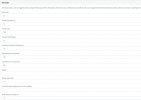
Do parked call parking and pickup codes with a manual keyboard input work?
 

Attachments

  • Cattura.JPG
    Cattura.JPG
    85.3 KB · Views: 30
Status
Not open for further replies.

Forum statistics

Threads
112,147
Messages
590,959
Members
165,167
Latest member
Finatra.us