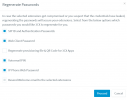
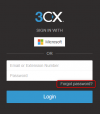
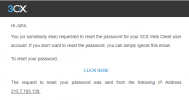
I needed this today for first time in V20 but I never received the welcome email, so what now?This is under the user's section section; select the user or users, then press reset.
If the email address is used by more than one extension 3CX will not send the password reset email.never received the welcome email
Its renamed to "reset" because now you reset the password of the extension.In V20, the feature to send a welcome email to a user may be moved or renamed. I recommend that you check the user settings section or the function buttons in the interface.
Hi @bitn2Its renamed to "reset" because now you reset the password of the extension.
Did you read the messages before yours.hello
i create the user before the mail account was created how can i get the welcome message again to be sent ?
Thanks
If you are using the 3CX SMTP, their service will block sending to an email address that bounces, I think for one week. You can use a different email address or alias, such as "plus addressing" for many major email systems. Or you may be able to open a ticket with 3CX to remove the block.hello
i create the user before the mail account was created how can i get the welcome message again to be sent ?
Thanks
You can try again but if it bounced, it will probably not attempt to send it for 7 days.once i have the email account create can i use the reset password button ?
Thanks


We are trying to make it easier for the admin!Oh thank you, i didn't consider this possibility, always looking the systems from an admin perspective!
Founded in 2005, when VoIP was an emerging technology, 3CX has gone on to establish itself as a global leader in business communications.