V20 upgrade - cannot edit one Digital Receptionist

iamtheari

Customer
Joined
Apr 3, 2020
Messages
35
Reaction score
6
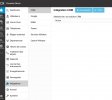
I just completed the upgrade from V18 to V20. I have been working to verify and clean up settings so our call flow continues working. Unfortunately, our Reception IVR is listed but not editable. I can assign it to a department from the department page. The option to edit the digital receptionist is grayed out in the Call Handling page and clicking on its name does nothing. There is a command to delete the digital receptionist but I am not brave enough to click that. Other digital receptionists can be edited. Am I missing something that would enable editing this digital receptionist, including changing the recorded greeting or dial-able options?
 
It's available in 20.1 and 20.2, as long as you don't have a hosted system, not a new 20.3 alpha feature
 
It's available in 20.1 and 20.2, as long as you don't have a hosted system, not a new 20.3 alpha feature
We are talking about all hosted systems, otherwise the solution would be to just not upgrade
 

Attachments

  • Capture d’écran 2024-09-06 083746.jpg
    Capture d’écran 2024-09-06 083746.jpg
    144.5 KB · Views: 16
Scritps are currently not available on hosted instances, i think 3cx is currently removing these restrictions in 20.3 and 20.4
Not sure if you need PRO license, i only have pros and entperprises
On self hosted or on premise you can find it in Advanced > call processing scripts
 
  • Like
Reactions: SteveITS
Scritps are currently not available on hosted instances, i think 3cx is currently removing these restrictions in 20.3 and 20.4
Not sure if you need PRO license, i only have pros and entperprises
On self hosted or on premise you can find it in Advanced > call processing scripts
it's still pretty lame to put c# scripts instead of a menu, I don't think many people are capable of setting that up. It has to be said that it's a very useful feature, and I hope that 3CX will put DTMF input back in place.
 
+1, just came across this while searching for the issue. I need DTMF DR edit capability. I am very disappointed, competitors are adding features, 3CX is removing, wow..
I am about to reach silver partner, but now I will look for alternative solutions.
 
+1, just came across this while searching for the issue. I need DTMF DR edit capability. I am very disappointed, competitors are adding features, 3CX is removing, wow..
I am about to reach silver partner, but now I will look for alternative solutions.
Exactly what you are saying, all other keep improving, 3CX is only adding useless features and removing good ones
 
No Sorry, we can't put Alpha versions on our customers systems, and this function is not availible on the latest stable.

Btw. We had a phonecall with 3CX about this issue and they basicly said that we are screwed, they are not going to provide a solution for us and have no workaround. The only way to fix this is to host a old version ourselfs without support. The whole reason we switched to hosted....... This is going to cost us a lot of money to fix things for our costumers and 3CX is just flicking us the finger and walking away. Not how a proffesional company should handle things.
This is wild. Just stumbled upon this issue and it explains a lot.
 
It looks like the example call script for DTMF is available for use in the current production version of 3CX V20. I am working on customizing it to replace what we had before. One thing that is not clear is how to route a call to a voicemail greeting. For example, I want to allow a caller to "Dial 1 to leave Joe a voicemail. Dial 1234 to ring Joe's phone directly."

The sample DTMF call script uses a lookup table mapping strings of digits to other strings of digits, then calls ps.GetDNByNumber() on the result. (ps is an instance of PhoneSystem and the mapping is from DTMF entries to 3CX extension numbers.)

The documentation says that the return value of GetDNByNumber is an object of type DN, which is apparently a superclass representing PBX endpoints.

It isn't clear how to look up a PBX endpoint for a user's voicemail greeting.

The information I was able to extract from the PBX database for the DTMF receptionist that it ported over during the V20 upgrade used destinations like 1,51 to ring extension 102 and 5,51 to get to the voicemail greeting for extension 102. The backup files include a file named OtherSettings/MappingTable.xml that appears to map from DNs to IDs and the entry related to extension 102 is <DN No="102" ID="51" />. So the imported DTMF receptionist is using 1,ID to ring an extension and 5,ID to go to the voicemail greeting for the extension.

Hopefully someone here has an idea how to accomplish what I want to do with a call script. Thanks in advance!
 
Anyone know how we can view the existing DTMF based Digital Receptionists in V20 ?

Or some way to see what options they have so they can be redeveloped in whatever method 3cx are supporting this week.
 
It's not possible. I already had this conversation with 3CX support, and they told me to pound sand. Had to go through them all manually by calling the IVR and choosing all the options one by one to see what they did. *Still Frustrated*
 
I was also disappointed with loss of DTMF edit. I found a workaround. Deleted the DTMF receptionist. Created new regular Digital Receptionist and below to stop direct dialing to extensions.

Go to Advanced->Parameters, Search for IVR_DIRECT_DIALING_GRAMMAR
IVR_DIRECT_DIALING_GRAMMAR is simply a regular expression. Adjust that parameter to suit your needs and restart the services, or easier just restart the server.
Example, if you want to disable all direct dialing all together use the below to recognize only one digit between zero and nine :
[0-9]{1}

Only drawback is, this will be effective across the system, so, if you want both DTMF and Digital Receptionist that allows direct extenstion dialing, then this solution is not for you, but it worked for me.
 
I was also disappointed with loss of DTMF edit. I found a workaround. Deleted the DTMF receptionist. Created new regular Digital Receptionist and below to stop direct dialing to extensions.

Go to Advanced->Parameters, Search for IVR_DIRECT_DIALING_GRAMMAR
IVR_DIRECT_DIALING_GRAMMAR is simply a regular expression. Adjust that parameter to suit your needs and restart the services, or easier just restart the server.
Example, if you want to disable all direct dialing all together use the below to recognize only one digit between zero and nine :
[0-9]{1}

Only drawback is, this will be effective across the system, so, if you want both DTMF and Digital Receptionist that allows direct extenstion dialing, then this solution is not for you, but it worked for me.
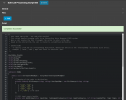
We do provide a script for this now.

1734680948078.png

Just add your codes (PINs) and the destination and off you go.

1734681042863.png
 
We do provide a script for this now.

View attachment 45743

Just add your codes (PINs) and the destination and off you go.

View attachment 45744
Can you help answer my question in post #29 above in this thread, about how to look up endpoints for specific extensions' voicemail boxes so I can, for instance, use the DTMF script to allow a "dial 1 to leave a voicemail for Bob"? Thank you in advance!
 
Can you help answer my question in post #29 above in this thread, about how to look up endpoints for specific extensions' voicemail boxes so I can, for instance, use the DTMF script to allow a "dial 1 to leave a voicemail for Bob"? Thank you in advance!
You can trigger *4EXT for the destination

If Joe's extension is 123 then send it to *4123
 
  • Like
Reactions: iamtheari

Latest Posts

Forum statistics

Threads
111,962
Messages
589,987
Members
164,867
Latest member
swegner