- Joined
- Jul 19, 2023
- Messages
- 68
- Reaction score
- 15
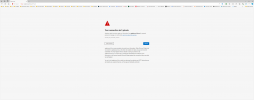
one of my version 18 systems had an internet failure so no access to trunks. i figured while it is down i will upgrade it to version 20 since they can't make calls anyway. I loaded a fresh copy of v20 just so i had a clean install on the server. with the system being down (no internet)i had to make some adjustments so that i had internet access to install the new copy of linux v20. i switched to a different circuit loaded v20 restored my database and got the system up on the temp internet connection. when the original internet connection came up i did the procedure to change the public ip address (set ip to dhcp for wan and restart system) now if i ping the fqdn it responds with the right ip address but i can't access the system using the fqdn from outside. like my certificate isn't right or something. it automatically switches to http: and gives me an error.
I would like to change the fqdn anyways. this site is in FL not Al. What do i have to do to get outside access and the cell app working using the fqdn? now that i am v20 there is no going back. V18 i would just do a backup without license key and fqdn.
I would like to change the fqdn anyways. this site is in FL not Al. What do i have to do to get outside access and the cell app working using the fqdn? now that i am v20 there is no going back. V18 i would just do a backup without license key and fqdn.