v20 windows how to set password for ipphone on web interface

uniscanadmin

Customer
Joined
Mar 18, 2019
Messages
48
Reaction score
6
Previously, it was possible to independently set the required password for access to the telephone.
But with the new version this functionality became unavailable. And now each phone has its own password. Which is of course safe, but not convenient.
Sometimes comfort is more important than safety, so I would like to return this feature back.
 
Do you mean the password for the web interface of an IP phone or the user password for the 3CX web client?

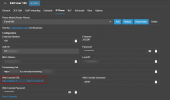
The password for the IP phone can still be set.

For the web client password, the user should has a unique email address in 3CX, enters it on the 3cx login page, uses the forgot password option, receives a link by email to set the password and can then log in to the 3cx web interface.

The alternative is (i.e. for mass deployment without individual email addresses): go to admin / advanced / parameters in 3CX, change the DEVELOPMENT_DNTABLE_EXPOSE parameter to 1, reload the website, go to the newly appeared DN Properties tab, select the desired extension there and set the SERVICES_ACCESS_HASH parameter as described here.
 
When you say this IP phone password can still be set .. could you tell me how? I couldn't find a way to do it inside the Admin UI or through the new User Import CSV. I came across this post after researching for the same "comfort" reasons as uniscanadmin, but it appears that you can no longer manually set the IP phone web console password or the Auth ID password. They look like they will be auto-generated from now on
 
Whatever the password is, just click on the link provided to connect onto your phone.

1728979977948.png

So you can have the security and comfort.
 
Can the credentials for the phones be exported for documentation purposes or will they only reside within 3CX now?
 
  • Like
Reactions: in.windows

Forum statistics

Threads
111,955
Messages
589,925
Members
164,853
Latest member
as7h