Voice recordings control

Status
Not open for further replies.

atlantisegidek

Forum User
Joined
Jan 6, 2020
Messages
56
Reaction score
3
Hi my speak a weak. Sorry about that.

I have Professional Annual.

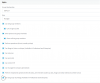
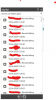
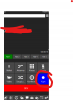
I use 3cxforWindows. I can see and control call voice recordings. I don't want to see and control them. How can I do it? Thank you.
1587371902752.png
1587372001072.png
 
Hi,

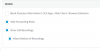
Under the extension of the user click

Options

Turn off

1587372385844.png

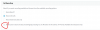
Under Rights

Turn off

1587372444914.png
 
  • Like
Reactions: atlantisegidek
To disable functions.

Screen 1 - Under Phone Provisioning for the Extension, select 3CX App

Untick 'Show Call Recordings'

1587372406621.png

Screen 2 - Under Option for the extension

Untick 'llow users to start and stop recording (By pressing rec on off button in the clients / IP Phone) (Available in Enterprise only)'

1587372454320.png
 
  • Like
Reactions: atlantisegidek
Thank you for answer.

My licence Professional Annual.
It's passive here. I can't control it.

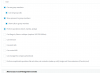
1587375091720.png


and user privileges. Voice recording can open and stop. There is a mistake.

1587375241673.png
 
the ability to set the initial recording state or changing/preventing the recording state by a user requires ENT edition of the PBX.
 
the ability to set the initial recording state or changing/preventing the recording state by a user requires ENT edition of the PBX.


I know. My licence Professional Annual. Some users can stop and start recording audio. And I can't control it. This is a big problem. Please support......
 
You would need to upgrade your license to ENT from PRO to gain access to this feature.
https://www.3cx.com/ordering/pricing/


Thank you for advice but I guess you didn't understand me. I don't want to upgrade ENT. According to my current license, this feature is required in active state. In other words, it should not stop and start recording while making a call. I am taking a photo for you again.


You see, it is able to open and close the recording.
1587381107578.png


I can't control this.
1587381182809.png


And my licence
1587381249435.png
 
If you set "Recording OFF" and uncheck the "Allow users to start and stop" option, which you cannot change in Pro licensing, then you have created a state where the user will not be able to record any call.
Thats what you are looking for, correct?
--> Ent Licensing
 
Status
Not open for further replies.

Forum statistics

Threads
111,945
Messages
589,865
Members
164,835
Latest member
Firefox Technologies