Voicemail only working internally

Status
Not open for further replies.

oJo

Bronze Partner
Advanced Certified
Joined
Apr 17, 2019
Messages
58
Reaction score
3
We have a very peculiar issue right now. We deployed a new 3CX install and set up one extension as the Voicemail for all routes going to voicemail. For testing, I set a DID directly to the voicemail of the extension. When I call, it plays the standard instructions and a beep, once I press # it says "Thank you and goodbye". No voicemail is saved.
When I call the voicemail internally via another phone, after pressing # it offers options like replay, delete and save. It works flawlessly in that case. I have not been able to figure out what is causing this issue and how to fix it. Does anyone have a clue what might be going wrong here?
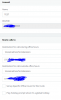
 
Can we see you DDI setup, as you should not get the standard instructions - you should only hear the message recorded for this particular voicemail.

Destination for calls should be 'Voicemail box for Extension'
 
Can we see you DDI setup, as you should not get the standard instructions - you should only hear the message recorded for this particular voicemail.

Destination for calls should be 'Voicemail box for Extension'
I did not record a message yet as I was still testing, but after recording one, that one was played. The end result is still the same.
 
Check the 'Email options' under the voicemail settings for the extension

Make sure it is not 'Send as attachment and delete from mbox'

Are you accessing the voicemails from the extension setup for the voicemail i.e. not accessing it from another extension.
 
Check the 'Email options' under the voicemail settings for the extension

Make sure it is not 'Send as attachment and delete from mbox'

Are you accessing the voicemails from the extension setup for the voicemail i.e. not accessing it from another extension.
No, this is one of the first things I checked but not the issue, and if it were, it shouldn't be different depending on if the call comes from an internal extension or from external.
 
3CX DDI setup is correct, and you have the correct format, if incorrect it will use the default route of the main number for that DDI number

Check the activity log, to see the format of the number being presented to 3CX. You may have to use * for example *456789 will pick up 123456789
 
How long are you waiting before you press #?

Under Settings > Voicemail settings what have you specified under Do not save voicemails that are less than (seconds)?
 
I have also checked that setting and made sure to record more than the set up 2 seconds. As I said, if I call the voicemail internally, it works flawlessly.
 
is this a firewall blocking audio issue? did you try having it go to an extension and verify that you can talk over it?
 
is this a firewall blocking audio issue? did you try having it go to an extension and verify that you can talk over it?
Normal telephony works perfectly fine. There is no recording saved. The keypresses are registered fine as well.
 
Did you do a comparison, of an Activity Log, for an internal and external call, to see if anything stands out?
 
Did you do a comparison, of an Activity Log, for an internal and external call, to see if anything stands out?
The activity log shows nothing in either case.
 
What happens if you leave a message and just hang up instead of pressing #?
 
No, the PBX is in production.
 
create a new one ?
 
Is this happening on all extensions, or just the one?
 
Is this happening on all extensions, or just the one?
create a new one ?

Sorry for the late reply, but I didn't get a chacne to test this sooner. I have tried it with a new extension and other voicemails, whenever the call originates from outside, the behavior is as described above. Calls from an internal extension to the voicemail work fine.
 
Status
Not open for further replies.