Webmeeting problem

Status
Not open for further replies.

Attachments

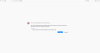
  • firefox 3cx cert error.png
    firefox 3cx cert error.png
    255.9 KB · Views: 13
webmeetings not working...
 
How to check this?

MyPhone 5001 or 443 must be completely reachable/bidirectional communication to webmeeting.3cx.net:443
 
An issue related to our intermediate cert was found on our side. This occurred yesterday at about 1:00 GMT.

The issue is now resolved. For users who are still experiencing the issue, please restart your 3CX System Service to properly resync meeting data with webmeeting.3cx.net.

For users who continue to have these issues even after the above, read my previous posts.
 
  • Like
Reactions: dmsystems
We are having this exact same issue. We have verified the three prerequisites, restarted the System Server Service, but it still is not functioning.
 
An issue related to our intermediate cert was found on our side. This occurred yesterday at about 1:00 GMT.

The issue is now resolved. For users who are still experiencing the issue, please restart your 3CX System Service to properly resync meeting data with webmeeting.3cx.net.

For users who continue to have these issues even after the above, read my previous posts.
Thanks

It's working now.
 
We are still NOT working. Please advise. We also have ticket 206666 open. No response. We have not had webmeeting capability since last Thursday!
 
We are still NOT working. Please advise. We also have ticket 206666 open. No response. We have not had webmeeting capability since last Thursday!

This ticket was opened yesterday and a prompt response was given very soon after. If the WebMeeting usage capability was not working since Thursday, it was only reported yesterday.

We are awaiting your response on the ticket. The issue you're experiencing is unrelated to what other users are experiencing. It seems there is something misconfigured on your PBX. Please follow our instructions that we've given in the ticket to resolve the issue you're experiencing.
 
This ticket was opened yesterday and a prompt response was given very soon after. If the WebMeeting usage capability was not working since Thursday, it was only reported yesterday.

We are awaiting your response on the ticket. The issue you're experiencing is unrelated to what other users are experiencing. It seems there is something misconfigured on your PBX. Please follow our instructions that we've given in the ticket to resolve the issue you're experiencing.

1) I won't waste either of our time going into the history of this incident.
2) We have followed the "Basic Checks" section. We have nothing misconfigured on our side.
3) Our PBX has not had any changes since installed. Everything was working until Thursday, when webmeetings stopped working.
4) What I have conveyed to our reseller, who was supposed to have sent this info to you, was that the customer.3cx.com portal lists our FQDN as ending in "3cx.global", but the FQDN configured on PBX has always ended in "3cx.net" I believe that this is where the issue lies.
5) We have restarted our System Server repeatedly without any effect.
 
There's a new reply to the ticket posted yesterday requesting additional steps.

This is what i'm referring to. Please follow up on it if we are to attempt to understand what happened in order to solve the issue you're experiencing. To not spread misinformation, the ticket is pending for customer response since yesterday. Your complaint on why this stopped working suddenly is valid. Since you've opened a ticket on this, lets please go through with it properly.
 
Last edited:
Status
Not open for further replies.

Latest Posts

Forum statistics

Threads
111,885
Messages
589,545
Members
164,744
Latest member
johnblackwood1