Webmeeting problem

Status
Not open for further replies.

Ahmad Mustafa Abo Atwan

Joined
Dec 9, 2017
Messages
5
Reaction score
0
Dears ,,,

i created webmeeting url to my extension and send the url of it to my customer
but there is a problem

[MISSING]: Meeting not found
Attached Screen Shot of the problem

Note: i restarted the 3CX System Service and the same problem
and i have a trusted certificate from 3cx

i am confused some extension worked and others not work
i try to make new extension but the same

Please help me

Thank You
Ahmad

 

Attachments

  • 1.PNG
    1.PNG
    23.5 KB · Views: 10
-Make sure all affected extensions have a First or Last name.
-Also they must absolutely have an e-mail.

After doing this, restart the 3CX System Service.
 
Thank you for reply ,,,
i make as you told but the same problem

BR
 
Please send me the meeting link for the meeting you're trying to access via PM.
 
Hello, I have the same problem.

I restarted services two days ago and the problem was resolved. Today the problem has returned.
 
Same problem here from multiple 3cx installation. i've already opened a ticket 206434.
 

Attachments

  • Senza nome.png
    Senza nome.png
    19.9 KB · Views: 4
I have same problem
what we can do now????
 
For anyone with this problem, you'll need to make sure:

1) Your MyPhone port on your PBX can contact webmeeting.3cx.net
2) Your PBX has a valid certificate (Must not be self signed or expired)
3) Your extension with this issue must have a First name or Last name and an e-mail.

Restart the 3CX System Service to force a data resenyc with webmeeting.3cx.net when the above is fixed.

These errors are absolutely related to the one of the above 3 not being configured correctly. The above are the pre-requisites to make WebMeeting work. If you're still having issues, feel free to contact support for more help.
 
I made all these setting but still i have a same problem.
 
1- Quick meeting are working without problems. Only Scheduled webmeeting have the issue.

2- i'm using 3cx fqdn

3- all extensions have First name, last name and e-mail.

For anyone with this problem, you'll need to make sure:

1) Your MyPhone port on your PBX can contact webmeeting.3cx.net
2) Your PBX has a valid certificate (Must not be self signed or expired)
3) Your extension with this issue must have a First name or Last name and an e-mail.

Restart the 3CX System Service to force a data resenyc with webmeeting.3cx.net when the above is fixed.

These errors are absolutely related to the one of the above 3 not being configured correctly. The above are the pre-requisites to make WebMeeting work. If you're still having issues, feel free to contact support for more help.
 
@dmsystems
Did you perform any backup/restore on the PBX before scheduled meeting start date?
 
My problem is the same as dmsystems. Only Scheduled webmeeting have the issue.

I did not do any restore operations, just the daily automatic backup.
 
I have a daily auto backup.
 
Also: have you tried (if possible, of course) to join the webmeeting using Android/iOS dedicated apps?
 
yes, it's same Meeting not found
 
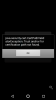
I get this
 

Attachments

  • Screenshot_20180416-221549.png
    Screenshot_20180416-221549.png
    66.9 KB · Views: 13
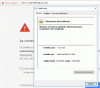
I am seeing a certificate error when I try to access webmeeting.3cx.net from 3cx server
 

Attachments

  • cert error.GIF
    cert error.GIF
    69.3 KB · Views: 7
Now it is working.. I don't know if it was resolved by 3CX prior some changes that I made.

I deleted history and cookies from Chrome and install certificate from other 3cx server.
 
This is unrelated to SP4 or WebMeeting. I insist, these issues are related to the below. This is a common issue for users with a misconfigured PBX.


For anyone with this problem, you'll need to make sure:

1) Your MyPhone port on your PBX can contact webmeeting.3cx.net
2) Your PBX has a valid certificate (Must not be self signed or expired)
3) Your extension with this issue must have a First name or Last name and an e-mail.

Restart the 3CX System Service to force a data resenyc with webmeeting.3cx.net when the above is fixed.

These errors are absolutely related to the one of the above 3 not being configured correctly. The above are the pre-requisites to make WebMeeting work. If you're still having issues, feel free to contact support for more help.
 
Status
Not open for further replies.

Forum statistics

Threads
112,091
Messages
590,703
Members
165,063
Latest member
ajjuds