What’s Up? Update 5 Alpha Introduces WhatsApp Integration!

Status
Not open for further replies.

N_G

Founder
Joined
Jun 6, 2006
Messages
4,850
Reaction score
9,260
Add a business WhatsApp number and have your team answer the messages! Also in Update 5 Alpha, we’ve improved SMS integrations making it much easier to configure. Plus it’s now possible to create your own automated chat responses using quick response message templates. Update today to try out these features and more!

Manage WhatsApp ...​

Continue reading the Original Blog Post.

 
Last edited by a moderator:
Hi Nick,
Is a extension who has the role of "Manager" in multiple Groups (MCM) expected to have access to "Office Settings"? Currently, if a extension is "manager" in several groups, the function disappears from the WebClient.


1659100759949.png


Or

will we have to create a different "manager" extension for each group for the customer wishing to manage several "groups"?


thx
 
@bravad

That is expected yes, strictly speaking, when running in MCM mode extensions should only be part of one group, that means the manager extensions too.
 
Great news, we've been waiting a long time for this update. Happy birthday.
 
  • Like
Reactions: N_G
@bravad - You have the MCM mode on which is a non documented and non released feature. Switch it off, and if you are system admin on a normal 3CX install, then you will see an admin icon in the web client, allowing you to configure basic user settings from there, including the status scheduler and the new live chat bubble configuration. You will see all the users that are part of groups that you can manage (based on Allow Management Console Access > Extension management)

@thiago.lemos@nassautecnol thanks for the headsup!
 
Last edited:
@Nick Galea How do we set where the SMS numbers go to (the routes, like we had before) ?

Also, that's neat.

1659104540895.png
 
  • Like
Reactions: CDC1 and N_G
  • Like
Reactions: N_G
  • Like
  • Haha
Reactions: CDC1 and bravad
Then it's not gonna work
 
Very nice WhatsApp integration and already tested
 
  • Like
Reactions: N_G
Then it's not gonna work
Not super useful lol

Why not a third route in Inbound Rules specific for SMS? This way, it's also easy to import/export. We have a DID we use that goes to an IVR but when texted goes to a direct support queue...
 
What if the DID points to an IVR?

Then it's not gonna work

So if I understood correctly, customers currently using their main numbers as a number to receive SMS, which had the advantage of being able to "route" SMS to a destination other than that of Inbound Calls, will no longer be able to do so. ?

We have few clients already delivered that are configured as @ConceptsWeb described...
--> Calls go in to IVR but SMS, to same number, to a Queue directly.

Do we have to warn its few customers that this possibility will be abandoned ?

Thanks for your advice
 
Not super useful lol

Why not a third route in Inbound Rules specific for SMS? This way, it's also easy to import/export. We have a DID we use that goes to an IVR but when texted goes to a direct support queue...

Exactly like us! And some of our clients.
I agree on this but I think I exceeded my "debate" quota lol
 
In addition,

we work with several providers, the DID is with a voice provider, and we have registered the SMS service with another provider, only for SMS.

Example;
DID +14187811415 is with TELUS provider in Canada for voice service but is "configure" with Bandwidth for SMS service (third party provider) .....

Do we have to foresee that it will stop working too?
 
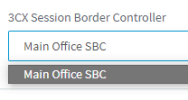
In 3CX Alpha update they have taken away the ability to add the URL from the drop down SBC remote. You can only add 3CX SBC from the SIP page. Nick will that feature be included in the beta version? Or are you not allowing third party SBC’s moving forward? Thanks in advance sir!
 
@austen - you could never use a third party SBC in 3CX - it wouldnt work because 3CX SBC protocol is proprietary. I will send you a private PM maybe you can send me a screenshot to explain exactly what you mean.

@all - OK going forward i think its better product feedback goes via the usual channels and not via a single thread - That means feedback can be given in the relevant forums for a feature (e.g. live chat or sms) or the partner forum. Our forum team will then respond. Feature requests via ideas forum.

In addition partners can of course contact their sales representative and they can then forward via email to our product management team and we can take it from there.
 
Last edited:
Status
Not open for further replies.