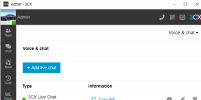
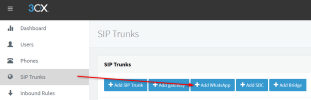
How do you turn off the multi company switch? I am using 3CX Professional Version 18 build 418. I am logged in with Admin Privilege and is unable to see the Whatsapp configuration button in webclient. I have setup the SIP trunk for Whatsapp with the test number provided by Meta.you have to be system admin and login via the webclient and ensure multi company switch is off
Here is the link to the guide explaining how to set up Whatsapp in the PBX. For StartUP installations you can use the Webclient but for dedicated installations you need to use the management console.How do you turn off the multi company switch? I am using 3CX Professional Version 18 build 418. I am logged in with Admin Privilege and is unable to see the Whatsapp configuration button in webclient. I have setup the SIP trunk for Whatsapp with the test number provided by Meta.
Update your PBX to the latest version. Make sure you actually logged in as the global admin.I have same problem.
Founded in 2005, when VoIP was an emerging technology, 3CX has gone on to establish itself as a global leader in business communications.