- Joined
- Dec 29, 2021
- Messages
- 73
- Reaction score
- 16
Hi
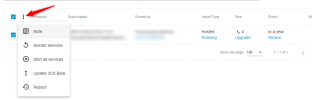
Unless if I missed something where Instance Manager is only for certain profile resellers, I can't find it in the new partner dashboard.
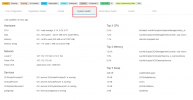
Under Subscribtion, I customers, but when I click on their name, all I get is a new box with
And for the ones hosted with Digital Ocean, even through it's activated, there is nothing displayed.
The current documentation at https://www.3cx.com/docs/manual/pbx-management/#h.qfash562493e does not talk about any sort of limitation.
Am I missing something?
NOTE: I can find it in the OLD partner dashboard though.
Unless if I missed something where Instance Manager is only for certain profile resellers, I can't find it in the new partner dashboard.
Under Subscribtion, I customers, but when I click on their name, all I get is a new box with
- First Configuration
- Registration Details
- System Health
- Performance Graph
And for the ones hosted with Digital Ocean, even through it's activated, there is nothing displayed.
The current documentation at https://www.3cx.com/docs/manual/pbx-management/#h.qfash562493e does not talk about any sort of limitation.
Am I missing something?
NOTE: I can find it in the OLD partner dashboard though.