Solved Wordpress Live Chat hours

Status
Not open for further replies.

Sai_Subramanian

Forum User
Joined
Sep 7, 2021
Messages
24
Reaction score
2
I have a set up where I have different hours for the Call queue and when Chat is available (as per the wordpress plugin). For some reason whenever I enter hours for the wordpress chat plugin that are more than that of the call queue --- the system thinks it is off hours (no matter what time it is) and displays the off hour message/does not show the plugin. Any thoughts on what might be wrong?
 
Could you give us an example of what times you have set in the WP plugin and what times hours you have set for the Queue?
Just to be clear, you cannot really set hours specifically for the Queue, so you either mean you have set Global Office Hours or Specific Hours for your Queue agents.

When this happens, are there in fact agents in the Queue that are logged in?
 
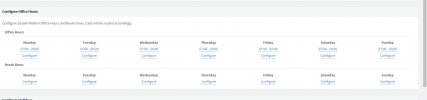
Example set up. 3CX Global hours from 7.00 AM to 8 PM.
Call Queue (in 3CX) set up 9.00 AM to 5.00 PM
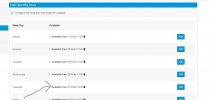
Chat plugin hours set up (in wordpress)
case 1: 9.00 AM to 5.00 PM (everything works fine)
case 2: 7:30 AM to 7.30 PM --> The plugin always thinks it is off hours and either does not show or displays we are away message as the case maybe
 
Note the plugin thinks it is off hours all through the day in case 2 ( not just before 9.00 and after 5)
 
Could it be a cache problem with the browser you are accessing it from (I had something similar earlier today)?
Try from another browser out of curiosity.

Could you send a screenshot from times as you have set them in case 2?
 
Here are the differemt setups
 

Attachments

  • Plugin-Case2.(No plugin after change of hours for Chat).JPG
    Plugin-Case2.(No plugin after change of hours for Chat).JPG
    119.7 KB · Views: 11
  • ChatOperatingHours Case 2 (Wordpress).JPG
    ChatOperatingHours Case 2 (Wordpress).JPG
    59.5 KB · Views: 13
  • Plugin-Case1.JPG
    Plugin-Case1.JPG
    76.8 KB · Views: 10
  • IVR Office hours for Calls (3CX).JPG
    IVR Office hours for Calls (3CX).JPG
    55.3 KB · Views: 11
  • ChatOperatingHours Case 1 (Wordpress).JPG
    ChatOperatingHours Case 1 (Wordpress).JPG
    24.5 KB · Views: 10
  • GlobalOfficeHours (3CX).JPG
    GlobalOfficeHours (3CX).JPG
    58.8 KB · Views: 10
I have tried from multiple browsers. Cleared Cache and done it etc but there some conflict when I set different hours for the IVR (for calls) and the chat hours dunno why
 
Hi @Sai_Subramanian,

What you'll notice is the following:

If the Wordpress LiveChat Office hours are set from 7:30 AM to 7.30 PM and your Wordpress site time is correctly configured (Settings >> General >> Timezone), the chat bubble should appear from 07:30 - 19:30. If agents are logged out of the queue, an offline message will be created.

Try and remove the LiveChat Office Hours to test if the chat bubble appears if you have agents logged in or out (associated to the queue). If this works and you see the chat bubble, note that you can work via the 3CX Global Office Hours instead of the Wordpress LiveChat office hours (unless you wish the bubble to disappear).

There should be no conflict between LiveChat and your IVR.
 
  • Like
Reactions: Evolute IT
Thanks that worked
 
  • Like
Reactions: VasilisV_3CX
Glad to hear you got it working @Sai_Subramanian. Feel free to open a new thread if you require any further information or assistance.
 
Status
Not open for further replies.

Forum statistics

Threads
112,147
Messages
590,959
Members
165,167
Latest member
Finatra.us