- Joined
- Sep 22, 2022
- Messages
- 11
- Reaction score
- 1
How do you add in the following features to a Fanvil custom template? Both can be set on the phone admin when reached via IP address, but both are reset when reprovisioned, and as 3CX (Weirdly!!) does not have options for either of these features I want to use a custom template to enable them. I see no documentation from Fanvil that says what code must be added to the template. Is there any at all? The user manual mentions the features and shows how to enable them via phone admin, which I have checked work.
Features Required
Attended Transfer on Hook
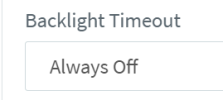
Backlight "Always On"
Any help appreciated.
Features Required
Attended Transfer on Hook
Backlight "Always On"
Any help appreciated.