XML Phonebook Cisco SPA 303

Status
Not open for further replies.

Firewall-guy

Joined
Jun 15, 2016
Messages
11
Reaction score
0
Hi all, just installed a 3CX system. Everything is working fine but i installed the phones the manual way (only 6 phones)
They can make calls internally and externally receive calls fine all is good.

But they cannot access the phonebook.

I have entered the address under the phone config webpage as the same as the provisioning template ans as the ip of the server and as the fqdn of the server.

10.30.29.1
10.30.29.1:5001
https://10.30.29.1
https://10.30.29.1:5001
https://10.30.29.1/provisioning/phonebook_cisco.xml
https://10.30.29.1:5001/provisioning/ph ... _cisco.xml

Nothing seems to work! this is the only outstanding issue, shouldnt the phone book just work? If the phones are syncing to the PBX and every other feature works?
 
Hi there,

Under the phone tab in the phones admin console > XML Directory service URL try the following

http://10.30.29.1:5000/provisioning/ran ... _cisco.xml

where the "random_provisioning_folder_name" is the folder where the phonebook_cisco.xml file is located.
Should be located at C:\ProgramData\3CX\Instance1\Data\Http\Interface\provisioning\random_provisioning_folder_name

Also note that cisco phones do not "like" Https so use http and port 5000
 
Thanks for that mate, I can now browse using chrome to the URL and see my phone book.
I have then copied and pasted the link into the XML directory service under phone on the GUI page.
Users are still saying they cannot access the directory!

I have restarted the 3CX since to ensure everything has a fresh copy of current config but still reporting no directory...

Any Clues?
 
Hello again,

In this case can you please tell me what version is your PBX? Version 14 SP3? And how exactly did you provision your phones?
Are they local extensions?

Have you taken a look at this?

http://www.3cx.com/Sip-Phones/Cisco-SPA/

What firmware are your phones running?
 
Hi YiannisH, the phones are provisioned as local phones, the firmware is 7.5.2 - so will upgrade that ASAP and try again.
I followed a guide on youtube to provision the phones!

Created the user with the MAC added PWD then went into the user webpage point provision proxy at the server IP put in username/pwd and the phones come up with respected EXT.
 
Please upgrade the phones to the latest supported firmware and reprovision. Don't use the link i provided you above because every time the phones reprovision the link will be lost. You could instead install the Extended Services available from http://downloads.3cx.com/downloads/misc/ExtendedServices.14.zip

This will add three features to the PBX:
- snom hotdesking
- yealink hotdesking
- cisco smart phonebook

It will replace the default cisco templates with updated ones pointing to a new phonebook service which allows to have more than 32 contacts using a multipaged service (hardware limitations on cisco).
Once installed, go to Extensions / bulk select all cisco extensions / Edit / Click OK without changing anything.
Then go to Phones / select each cisco phone and click Reset & Reprovision

Reminder: Try this after the phones are upgraded to the latest supported firmware.
 
OK - will give it a go tonight.
Once the phones are on the new firmware and I have installed the extended services and reprovsioned the phones do I need to change the link on each phones to the new phonebook? Or is it done automagically somewhere?

Thanks for all your help thus far mate.
 
No once you install extended services and reprovision the phones phonebook should work "out of the box". No link is required
 
OK - so i have tested upgrading 1 phone, 3cx suggest if its 7.5.2 it has to go to 7.5.2b then onto 7.6.2
So i have upgraded to 7.5.2b - after that though it asks for username and pass to log into admin page or to upgrade any further!

Tested on another phone with no admin login and its done the same! Any suggestions?
 
If the phones are provisioned you can find the password at the extension settings of each phone, navigate to the Phone Provisioning Tab and you will find the password at the "Phone Web Page Entry". Just click on the 3 stars on the right side to reveal the unique password assigned by the PBX.

If the phones are not provisioned the default username and password should apply which are
Username: admin
Password: admin
 
Just an update for you, after the PBX Exerted services patch and REprovisioning of phones all phones now display the correct name on the phone if a number stored in the phonebook calls in.

But none of them can search the phone book, still get request rejected - this maybe due to the firmware version so will redo that with the pwd yor provided above hopefully that will be the end of it then!

Thanks for all your help so far...
 
Hi YiannisH_3CX, so I have upgraded 4 phones and removed the link under the phone settings.
Have asked the user to test, on those 4 phones there is now no company phonebook just an option for add new personal directory or view personal.
There is no option 3 for company directory on those 4 phones.

I have got them to check on the phones with old firmware and they get same 2 options & a 3rd "3CX Speed Dial" which is what I labled it as on the phone link.

But then they get "working, Working ,Working, Failed request failed"

Its very strange they phonebook works on incoming calls, and can be seen by the phones as the label is coming up but they cannot access the list! Any ideas? Ill try readding the link to the 4 upgraded phones perhaps that will work?
 
I have put the link back in, and named it just list - clicking on the softkey now presents user with "list" but as soon as clicked on "request failed" if I browse using IE I get the list in xml form as you would expect...

I have also set up provisioning with option 66 DHCP that has populated lots of bits and bobs under the user settings/ logo download upgrade path etc..

It all seems there just the company directory not working!
 
Please confirm on what version your phones are now on.

After installing extended services you shouldn't import any link manually. It should all be done automatically after reprovisioning.

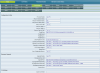
Although i don't have a Cisco SPA303 here at the office i am attaching a photo from a Cisco SPA509g configuration.
Hope it helps
 

Attachments

  • Cisco509config.png
    Cisco509config.png
    132.2 KB · Views: 538
I edited the post just before you pressed send then!

Phones are now on 7.6.2 & 7.6.1

When you say reprovsion what exactly do you mean delete & recreate the EXT? Or would a stop start of all services be ok?

in 3CX if I click reprovsion - nothing seems to happen no phone reboot or anything?

Also my provisioning pages are like for like, other than the link so it should be good there..
 
When i say reprovision i mean go to the phones tab in the manager console highlight the phone you want to reprovision and on the top of the page the option reset & reprovision should become available.

When you press that the phone will reset and reprovision with the new parameters

Try a phone with firmware 7.6.1
 
OK I will have to try that ooh as users in the office now.

I have just made a 3CX softphone and provisioned that with the link all is fine but even on that the phonebook says empty..
I can dial internally/externally etc but no phone book very odd!

I do not need a softphone so if that's something different please ignore, I wanted to try to pin the issue down to phones or server..
 
Noticed for some reason in the prov dir there was no 3cx phone book - copied cisco_phonebook and renamed it and the 3cx phone book for softphone. the directory now works fine for softphone

But still the 303's cannot access the directory "request failed"
 
Maybe a silly question but I will ask it anyway.

If you open the Management Console and go to Settings -> Company Phonebook, do all entries have at least a:
- First Name or Last Name
AND
- A number in the Mobile field
?
 
Status
Not open for further replies.

Forum statistics

Threads
111,845
Messages
589,336
Members
164,681
Latest member
JV J