Yealink Headset not working with Mac Desktop Client

Status
Not open for further replies.

mdicosola

Customer
Joined
Mar 9, 2022
Messages
3
Reaction score
1
We have a handful of Yealink WH63 headsets connected via USB to Macs. We have also installed the Yealink USB Connect client to make certain we have the latest firmware.

We are using the new Mac OS 3CX client. We can use the Yealink for speaker and Mic, but the headset integration will not connect. In the web client, we could get this to work, but it would lose connection randomly. Does anyone have this same issue?
 
Hi!

What MacOS version do you have installed?
Also what firmware version do you have on the WH63?
Is this the only Mac you have tried on, or are there other you have tried and it works OK? (could be faulty device)
 
I have six headsets on six different macs. In one case I was certain I had a faulty device since the USB Connect would not work with that system. I switched the headset with another one. They both worked on their "new" systems for a short time, then they stopped connecting again. Here are three current cases I have documented.
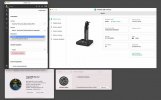
  1. 2015 iMac running OS 11.6.4. This one is due to be replaced. FW: 102.431.0.30. 3CX phone client will show an error on a restart, Terminal launches, Yealink USB Connect shows the device is available, USB in Mac System shows it is connected on the USB bus, 3CX softphone does not show the device in the Microphone, Speaker or Headset Integration options. If I trash the Application Support/3CX folder and re-configure the softphone client, the Yealink will show up in the Mic/Speaker setting, but will not find the headset in the Headset integration settings. See Screenshot 3CX1.jpg
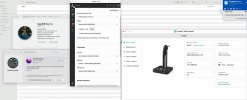
  2. 2018 Mac Mini running OS 11.5.2. FW: 102.431.0.30. Yealink USB Connect shows the device is available, USB in Mac System shows it is connected on the USB bus, 3CX softphone shows the device as available in the Microphone and Speaker settings. The Headset Integration drop-down menu does not work and I cannot select Yealink. Earlier this week I was able to select it, but I would get a red error: Not able to connect to device. The headset will not pick up or hang up phone calls. See Screenshot 3CX2.jpg
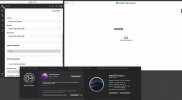
  3. 2015 MacBook Pro running OS 10.14.6. FW: FW: 102.431.0.30. Yealink USB Connect shows no device connected, USB in Mac System shows it is connected on the USB bus, 3CX softphone shows the device as available in the Microphone and Speaker settings. The Headset Integration drop-down menu does not work and I cannot select Yealink. Earlier this week I was able to select it, but I would get a red error: Not able to connect to device. The headset will not pick up or hang up phone calls. See Screenshot 3CX3.jpg
 

Attachments

  • 3CX1.jpg
    3CX1.jpg
    87 KB · Views: 10
  • 3CX2.jpg
    3CX2.jpg
    245.1 KB · Views: 9
  • 3CX3.jpg
    3CX3.jpg
    213.6 KB · Views: 9
Could you please try and upgrade one of the Macs having this issue to MacOS Monterey?

Once you have done this remove the Desktop App, then re-download and install it and try again.
 
I will be able to do that next week and will report back. Thanks for your help.
 
  • Like
Reactions: NickD_3CX
Status
Not open for further replies.

Forum statistics

Threads
112,349
Messages
592,027
Members
165,514
Latest member
megalmazan