Yealink T28 functionality

Status
Not open for further replies.

craigreilly

Free User
Joined
Feb 1, 2012
Messages
4,134
Reaction score
577
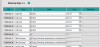
Can anyone tell me if the T28 has the XML Browser functionality found in the T26?
I do not see it in the manual...
 

Attachments

  • t26.png
    t26.png
    19.6 KB · Views: 1,707
Yes. The T28 has the same XML Browser options.
 
Great. I am using it to program NIGHT MODE.
We do not use Global Office Hours - and I wanted something visual.
So, click the button to run the XML
Select ON or OFF and all of the BLF's on the Phone turn RED when it is on.
Otherwise BLF's 1-5 turn Green for Shared Park and the rest to Off.
 
Sounds like a good idea. Would you care to post the XML code you use for this please?
 
So these files reside on a webserver - I think it could be on your phoneserver, in the provisioning folder is probably easiest.
So link would be http://phoneip:5000/provisioning/YealinkXML/Execute.xml

Be sure to:
Update Execute.xml with the appropriate links to NighModeOn.xml and NightModeOff.xml
In NightModeOff.xml - if you have any shared parks - turn them back to GREEN as I have done
I flash one BLF so they know this is the BLF to hit again for DAY MODE.

Finally - I do not know exactly what the Cancel does. That IP Address was in the sample. It maybe should be the IP of the phone running this command.

PS: I received word this morning from Yealink Support that they will be adding XML Browser to the T38 - probably near end of June, along with multicast paging and XML Remote Phonebook Lookup when dialing out. (this final feature is currently in UK Firmware)
 

Attachments

following this thread
 
Hey there, I've just implemented the Nightmode switchinging XML - it is brilliant, and saves a BLF, as before I was using two BLF's just to turn on and off.
I love the LED blinking too, however I have a question, I already have a number of BLF's set on the reception handset and would like the modes/colours to return to the former values that were valid prior to setting the night-mode.
I realise I can write the scripts up specifically for the Reception phone (and normally a reception phone is the only one that needs nightmode anyway...)

to elaborate - Memo1 to 4 have BLFs for SP0 to SP3. then Memo5 has extension 542. I would like that ALL BLF's light red when nightmode turned on...Done that works fine with your XML. but when I run the Nightmodeoff I would have to specifically set memo1 to 4 and memo 5 to have green with all others off.

I'm wondering if it is something where the command might be something simple like "ExecuteItem URI="Led:MEMO5_RED=status" - where it is actually reading the defined status of there being a BLF attached to the memo button, rather than a "hard-coded" colour we are defining in the script as such.

This way I can have a single Execute/nightmode.xml for any and all stations that I wish set to enable Nightmode.
 
Fixed my own problem - have the "nightmode OFF" mode only put on your Bare minimum of BLF lights - or for that matter have them all stay off, the reason being that the moment you use the BLF it will re-apply the relevant light to that button, i.e. Red or Green.

It is almost irrelevant in the end as with further thought - seriously who else needs to put on Night mode apart from Reception, Now I just have to work around having the same script log the user out of the RECEPTION/INCOMING queue otherwise that overrides the Nightmode and keeps ringing, and inbound callers go straight into the queue without being sent straight to a voicemail/Out of hours message.
 
Status
Not open for further replies.