


- Joined
- Dec 21, 2023
- Messages
- 17
- Reaction score
- 2
Hi All,
I am new to 3CX, I am currently trying to provision my Yealink T46U Deskphones, total 12 of them.
Planning to have 2 Router Phones, each Router Phone will be having 5 remote phones.
All deskphones firmware version is up-to-date, followed the guide below for provisioning but somehow Register Failed.
https://www.3cx.com/sip-phones/yealink-t4-series/
I am using V20, hosted by 3CX, below is the status of registration.
I am new to 3CX, I am currently trying to provision my Yealink T46U Deskphones, total 12 of them.
Planning to have 2 Router Phones, each Router Phone will be having 5 remote phones.
All deskphones firmware version is up-to-date, followed the guide below for provisioning but somehow Register Failed.
https://www.3cx.com/sip-phones/yealink-t4-series/
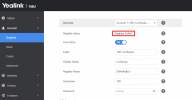
I am using V20, hosted by 3CX, below is the status of registration.


