


- Joined
- Nov 23, 2020
- Messages
- 104
- Reaction score
- 22
Hello,
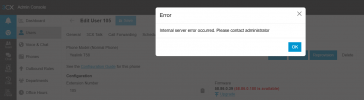
All our Yealink T58A phones currently show the status ‘unsupported phone’ with a note saying ‘58.86.0.180 is available.’ However, when I click Upgrade, the system returns an ‘Internal system error.’ Is there any way to fix this? Updating the firmware manually isn’t a big deal, but I’d rather not repeat that process for several dozen devices. Just in case, 3CX v20 Update 7.
Thank you!
All our Yealink T58A phones currently show the status ‘unsupported phone’ with a note saying ‘58.86.0.180 is available.’ However, when I click Upgrade, the system returns an ‘Internal system error.’ Is there any way to fix this? Updating the firmware manually isn’t a big deal, but I’d rather not repeat that process for several dozen devices. Just in case, 3CX v20 Update 7.
Thank you!


