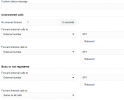
fourrivers Bronze Partner Basic Certified Joined Sep 20, 2022 Messages 38 Reaction score 4 Jan 2, 2024 #1 I read that in order to park a call from a w56h you need to create a dummy extension and transfer to it to park the call. Is this what the setup should look like? :
I read that in order to park a call from a w56h you need to create a dummy extension and transfer to it to park the call. Is this what the setup should look like? :
fourrivers Bronze Partner Basic Certified Joined Sep 20, 2022 Messages 38 Reaction score 4 Jan 3, 2024 #2 With this setting, the call transfer fails and the incoming call gets hung up on...what am I missing?
With this setting, the call transfer fails and the incoming call gets hung up on...what am I missing?
SweetAction 3CX MVP Gold Partner Joined Jan 19, 2018 Messages 3,465 Reaction score 2,324 Jan 3, 2024 #3 I don't think this works in v20.
fourrivers Bronze Partner Basic Certified Joined Sep 20, 2022 Messages 38 Reaction score 4 Jan 3, 2024 #4 What are our options of parking a call from a yealink cordless, w56h?
SteveITS 3CX MVP Silver Partner Advanced Certified Joined Jun 20, 2018 Messages 4,451 Reaction score 2,172 Jan 4, 2024 #5 AFAIK there’s parking orbit https://www.3cx.com/docs/pbx-dial-codes/#h.aduo384ft510, or use hold/transfer.
AFAIK there’s parking orbit https://www.3cx.com/docs/pbx-dial-codes/#h.aduo384ft510, or use hold/transfer.
fourrivers Bronze Partner Basic Certified Joined Sep 20, 2022 Messages 38 Reaction score 4 Jan 4, 2024 #6 so on the w56h, would you know how to send the call to *00 ? we tried transfer *00 transfer and it fails
so on the w56h, would you know how to send the call to *00 ? we tried transfer *00 transfer and it fails
Curtis C Joined Jan 14, 2020 Messages 79 Reaction score 29 Jan 4, 2024 #7 3cx us defintely taking away our abilities to customize for our customers. We use this shared park trick on multiple systems
3cx us defintely taking away our abilities to customize for our customers. We use this shared park trick on multiple systems