- Joined
- Feb 10, 2025
- Messages
- 13
- Reaction score
- 5
I’m trying to find out why a cordless handset with extension 305 won’t ring and goes straight to voicemail.
I’ve checked the forwarding rules and exceptions for this extension and found no differences compared to the other cordless handsets registered to the same base, just with different extensions.
I’ve also tried registering extension 305 to the 3CX mobile app and found that it rings successfully.
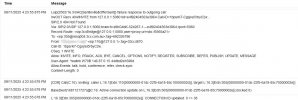
The attached screenshot shows an extract from the verbose logging when I try calling from the 3CX web portal using extension 110 to extension 305.
I can’t get to the site where the phone is, so I’m trying to find out as much as possible from the server side.
I’ve checked the forwarding rules and exceptions for this extension and found no differences compared to the other cordless handsets registered to the same base, just with different extensions.
I’ve also tried registering extension 305 to the 3CX mobile app and found that it rings successfully.
The attached screenshot shows an extract from the verbose logging when I try calling from the 3CX web portal using extension 110 to extension 305.
I can’t get to the site where the phone is, so I’m trying to find out as much as possible from the server side.