- Joined
- Jun 23, 2014
- Messages
- 3
- Reaction score
- 0
HI,
I have got a Zyxel P660H-D1 installed with NAT rules set up to forward ports 9000-9049 to the IP address of the 3CX. I have also set up the same rules on the firewall. Yet when I run the firewall checker, it fails on ports 9015-9049. The client is getting audio issues and some calls drop after 30 seconds.
I have disabled SIP ALG on the router via telnet.
My ISP has told me that SIP ALG must be enabled which goes against almost all other advice and goes against 3CX best practice.
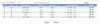
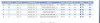
Any advice as to why the F/W checker fails only on this aspect? All other tests pass including ports 9000-9014. I have attached the NAT and FW rules (F/W rules are all bundled into the first rule but added as separate rules to show what rules are in place.)
Thanks
I have got a Zyxel P660H-D1 installed with NAT rules set up to forward ports 9000-9049 to the IP address of the 3CX. I have also set up the same rules on the firewall. Yet when I run the firewall checker, it fails on ports 9015-9049. The client is getting audio issues and some calls drop after 30 seconds.
I have disabled SIP ALG on the router via telnet.
My ISP has told me that SIP ALG must be enabled which goes against almost all other advice and goes against 3CX best practice.
Any advice as to why the F/W checker fails only on this aspect? All other tests pass including ports 9000-9014. I have attached the NAT and FW rules (F/W rules are all bundled into the first rule but added as separate rules to show what rules are in place.)
Thanks