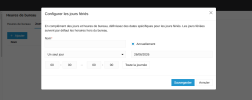
Configuring Holiday Messages Easily

LeonidasG_3CX

Product Manager
Staff member
Joined
Nov 19, 2008
Messages
2,170
Reaction score
629
This is great, thank you. Is there a way to import Holidays for the year rather than adding them individually? Importing from CSV would make it easy to set up holidays for the whole year.
 
  • Like
Reactions: YuranL
Hello,

Is the configuration of holiday announcement messages at the department level supported on 3CX Multi-Tenant servers?

On my 3CX Multi-Tenant server, when I go to "Office Holidays" and try to add a holiday, I do not see the "Prompt" field to upload an audio file.

1782476454877.png

Kind regards,
Alain
 
Hello,

Is the configuration of holiday announcement messages at the department level supported on 3CX Multi-Tenant servers?

On my 3CX Multi-Tenant server, when I go to "Office Holidays" and try to add a holiday, I do not see the "Prompt" field to upload an audio file.

View attachment 51956

Kind regards,
Alain
What's the role of the user you are logged in with, please, and also which version are you on? Is that the latest update 9?
 
I am logged in as the system owner and running version 20.0 Update 9 (Build 995 Release - AI 1.4.48).

For your information, my 3CX Multi-Tenant server is hosted by 3CX.
 
Hello,

Have you had a chance to look into my issue regarding the audio directive?

Kind regards,
Alain.
 
In the webinar yesterday @Kevin Attard Compagno mentioned that it's possible to set a holiday for the complete system/company, and not require setting it for every department. Where is this done? I cannot find this setting anywhere in the Admin interface or in Parameters.

If departments use different hours or time zones, but observe the same holidays and do not need custom prompts, then it makes sense to only require one set of holidays be maintained.
 
This is about interpretation, I suppose; I may have misunderstood what your target was.

If you set the a department with a particular holiday configuration, then any queue/ivr/ring group that is in that department will follow.

It seems to me that your description simply tells me "make a new department that has the same holidays settings as some other department, changing only hours and/or timezone".

We're looking at it from different ends of the telescope. Ths use case you described would only be relevant in the case one needed to create many departments, with every aspect being identical except different hours and/or timezone, I feel.
 
Hello,

Have you had a chance to look into my issue regarding the audio directive?

Kind regards,
Alain.
Hello,

The no prompt upload problem for your Multi-Tenant, 3CX hosted server should be fixed on the next update.

Regards,
Kyriacos
 
Hi,
Why is there no Import from CSV or Export / Import from a Holiday Schedule or a Duplicate button ?

For each department I have to enter exactly the same information multiple times on one instance and then repeat the exact same process on other 3CX systems which is a complete waste of time.

I can import a csv for the Company phone book why not holiday dates??
Pete
 
I should also point out that you can use XAPI to make changes programmatically:

1783090258444.png
 
Hi,


Running Version 20.0 Update 9 (Build 995 Release - AI 1.4.48) — same build reported by SAV.IB above, but on a standard (non Multi-Tenant) Department setup.


Unlike the Multi-Tenant issue reported earlier in this thread (missing Prompt field), in my case the Prompt field is present and I can upload/assign an audio file to a Holiday under:


Office Hours → Office Holidays → [Add Holiday] → Prompt


I created a holiday, assigned a .wav file to it, and confirmed it's saved correctly and shows up in the Office Holidays list with the correct name.


The problem: that assigned prompt is never actually played on an incoming call during the holiday period. Neither on:


  • Department → Call Handling → "When on holiday route to", nor
  • Queue → Edit Queue → "When on holiday route to"

In both cases, the dropdown for "When on holiday route to" only offers destination choices (User, Voicemail Box, Ring Group, Digital Receptionist, Queue, Call Processing Script, Forward to Outside Number, End Call, Accept Anyway). There is no "Play department holiday prompt" option anywhere in these dropdowns or in the "Play Announcement" audio-file dropdown that appears after enabling the toggle — I only get a manual file picker.


Workaround currently in use: manually re-selecting the same .wav file under "Play Announcement" on each Department/Queue separately. This works, but:


  1. It completely disconnects the "Prompt" field in Office Holidays from actual call behavior — that field appears to do nothing on its own.
  2. It has to be repeated manually on every single Department/Queue for every holiday, with no link back to the Office Holidays configuration.
  3. This contradicts the blog post (https://www.3cx.com/blog/docs/configuring-holiday-prompts/) and the official guide (https://www.3cx.com/docs/holiday-prompts/), which both describe a "Play department holiday prompt" option in the dropdown that dynamically resolves the holiday's assigned prompt — this option does not appear in my installation.

Can you confirm whether this is:
a) a bug affecting Build 995 specifically, or
b) a feature not yet available for standard Departments/Queues (only IVR/Ring Group?), or
c) something I'm missing in configuration?


Happy to provide screenshots or PBX logs if useful.


Thanks,
 

Latest Posts

Members Online Now

Forum statistics

Threads
111,793
Messages
589,015
Members
164,585
Latest member
TCOOKE