- Joined
- Oct 12, 2017
- Messages
- 5
- Reaction score
- 0
I have been setting up a new 3CX instance for a client and am running the Linux version. It has passed all the firewall checks but seems to be having DNS issues with the SIP trunk. We are going with Flowroute as the SIP provider as it is 3CX approved. When I set it up I get a DNS error 503


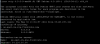
I did a ping and I can resolve that address and also I can do a nslookup successfully via the linux command line:

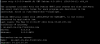
So DNS is working on the backend. If I put the IP that it resolved to instead of the FQDN the trunk comes up and registers successfully. I also tried another trunk I have working on a 15.5 system on this 16.1 instance and I have the same issues, I get the 503 error. If I put this trunk on the 15.5 instance with FQDN it works as expected. I then looked at the resolve.conf file and that looks correct

and also the interface config

Is there another file that the 3CX is using to call on DNS queries for SIP trunks that I might have missed? I have searched the forums and the only other thing I saw was to add transport-tcp in front of the FQDN and that didn't work either. I can only get this trunk or the other one I borrowed from another system to test with to register if I put in the IP and not the FQDN, yet DNS seems to be working on the rest of the system as it does pass the firewall check and is able to reach out to 3CX as well. Any help would be appreciated.
Thanks,
I did a ping and I can resolve that address and also I can do a nslookup successfully via the linux command line:
So DNS is working on the backend. If I put the IP that it resolved to instead of the FQDN the trunk comes up and registers successfully. I also tried another trunk I have working on a 15.5 system on this 16.1 instance and I have the same issues, I get the 503 error. If I put this trunk on the 15.5 instance with FQDN it works as expected. I then looked at the resolve.conf file and that looks correct
and also the interface config
Is there another file that the 3CX is using to call on DNS queries for SIP trunks that I might have missed? I have searched the forums and the only other thing I saw was to add transport-tcp in front of the FQDN and that didn't work either. I can only get this trunk or the other one I borrowed from another system to test with to register if I put in the IP and not the FQDN, yet DNS seems to be working on the rest of the system as it does pass the firewall check and is able to reach out to 3CX as well. Any help would be appreciated.
Thanks,