- Joined
- Jul 13, 2022
- Messages
- 4
- Reaction score
- 0
We are a recent customer with version 18.0.3.461. During installation everything goes fine and our information for the FQDN, etc. is passed to our customer portal. Unfortunately, once the software installs we receive an activation error and says our primary dns can not resolve.
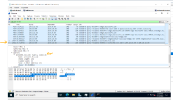
We have confirmed that our DNS and PBX server can resolve activate.3cx.com and ping it with no problem. We have also done 3CX firewall checks with no issues. In order to get the activation to perform successfully we need to change the DNS on the NIC to 8.8.8.8 and it goes through instantly. We can't do this long term as we need AD login to the server so we need our internal DNS configured.
Based on other forms posted here, this issue appears to have started with the v18 introduction of activate.3cx.com instead of activation.3cx.com. It's worth mentioning that 2 years ago we used a smaller deployment of 3cx with no issues before this change. In doing DNS lookups for activate.3cx.com it appears that 3CX has moved to cloudflare for their DNS provider. Is it possible that they have DNSSEC enabled and it is not trusting our internal dns queries, etc?
We have confirmed that our DNS and PBX server can resolve activate.3cx.com and ping it with no problem. We have also done 3CX firewall checks with no issues. In order to get the activation to perform successfully we need to change the DNS on the NIC to 8.8.8.8 and it goes through instantly. We can't do this long term as we need AD login to the server so we need our internal DNS configured.
Based on other forms posted here, this issue appears to have started with the v18 introduction of activate.3cx.com instead of activation.3cx.com. It's worth mentioning that 2 years ago we used a smaller deployment of 3cx with no issues before this change. In doing DNS lookups for activate.3cx.com it appears that 3CX has moved to cloudflare for their DNS provider. Is it possible that they have DNSSEC enabled and it is not trusting our internal dns queries, etc?