3CX Admin Dashboard running slowly

Status
Not open for further replies.

jpercival

Forum User
Joined
Aug 6, 2019
Messages
68
Reaction score
12
We have a local physical Windows server running 3CX that has been working quite well for some time now. Every once in awhile our admin console will run EXTREMELY slowly when we attempt to log in and make changes. Moving from any page or setting to the next takes 5-15 seconds. The client facing web portal works flawlessly and is zippy for all of the users (100+) that use it daily. The workload on the server is negligible, as we're fortunate to have a dedicated machine for this that is rather overpowered.

For the last 2 days (2 restarts of the server included) the admin console is unresponsive, will hang at the logon screen for 10-20 seconds before logging in, or will simply error out on occasion. For the most part we can get everything done eventually, but doing any sort of large-scale changes to queues, etc, that take more than one or two steps takes 10 minutes instead of 30 seconds currently. I have read through a couple different threads here about this issue, but they were both pretty outdated.

Here is the pertinent requested info:

3CX Enterprise Annual 16.0.5.622
Windows Server 2019
On-prem server
Firewall checker has passed

Any help is greatly appreciated!
 
Thank you for the response. It's happening on all 3 of our admins' computers in the latest builds of Chrome and Edge on PCs or VMs with and without our antivirus software.

At the risk of sounding stilly, I do not know how to test the admin site on the server itself, as I am unaware of what web address to put in the browser locally.
 
Thank you. There are lengthy delays logging in locally on the server as well. It took 15 seconds to get to the Dashboard after typing in my password. Simply clicking on the "Call Queues" button had a similar delay.
 
Thank you. There are lengthy delays logging in locally on the server as well. It took 15 seconds to get to the Dashboard after typing in my password. Simply clicking on the "Call Queues" button had a similar delay.
Try restarting the Management Console service.
 
Try restarting the Management Console service.
Even though the server itself has been rebooted a couple times I thought about doing that. I wasn't 100% positive that doing that wouldn't affect our end users at all during a work day. That is safe to do during business hours?
 
Even though the server itself has been rebooted a couple times I thought about doing that. I wasn't 100% positive that doing that wouldn't affect our end users at all during a work day. That is safe to do during business hours?
No it is not. Wait until no ones on a call or after hours.

The goal is to see if the MC service is somewhat hanging. You can start by checking CPU and RAM usage of each services. Even if your machine is overpowered, the application itself could crash or be slow if too much data is stored in memory.
 
  • Like
Reactions: jpercival
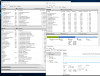
Here is a few minutes worth of activity on the server while I am bouncing around (waiting) on the Admin Dashboard from another PC. Literally none of the 3CX-related services or processes get above 1 or 2% CPU usage throughout the duration of that graph. There were 2-4 active calls the whole time.

I won't be able to restart the service individually until over the weekend.

3cx.png
 
Restarting the service did not help.
 
We are still experiencing the same issue after a couple more server restarts. To the best of our knowledge nothing has changed in our environment that would explain this and the fact that it's extremely slow while locally accessing the page on a completely unencumbered is very counterintuitive.
 
You can try Obkio to see if your network is having issues.
 
We have numerous monitoring suites in place already, all of which state that things are tip-top. We also have 200 users that are pretty darned great at letting us know when thing seem 2% slower as well :)


Everything seems ideal from what we can tell.
 
Could it be simple usage peak? People are using it more (voice, chat, using the apps and the Webclient) ? Those are heavy on the system.
 
The admin console is slow at all times, even at night when the entire company is asleep and the system is completely unused.

Every user-facing 3CX web page is VERY snappy and responsive at all times.
 
I would take a backup and reinstall 3CX at this point.
 
We actually ran the update to the latest build overnight and the issue was resolved.

Thanks for the ideas, guys.
 
Status
Not open for further replies.

Forum statistics

Threads
111,992
Messages
590,171
Members
164,929
Latest member
Cloudstar