3CX and Movidesk (BR) integration

Status
Not open for further replies.

cberni

New User
Joined
Dec 24, 2020
Messages
32
Reaction score
2
Hi... We are trying 3cx and we need a simple call journaling integration.

1- the call is transfered (originaly outbond) to a extension or group

GET: https://api.movidesk.com/public/v1/...8-5-1T17:00:00&transferDate=2018-5-1T17:02:00

2- the call is completed/finished (after number 1)

GET: https://api.movidesk.com/public/v1/...hamada.com.br&completedDate=2018-5-1T17:20:00

3- the call is not answered (originaly outbond)

GET: https://api.movidesk.com/public/v1/...8-5-1T17:00:00&canceledDate=2018-5-1T17:20:00

everything is described here: https://atendimento.movidesk.com/kb/article/32178/api-do-movidesk-telefonia-sem-controle-da-fila


The big question is how could I discover the scenarios IDs?
The first match ir a tranfered call to request a get URL. And when the call has ended need to ask a URL with the call record link. There is no need to turn back other informations....
 
I'm trying. but we need just the Call Journaling. And no contatct information.
Is there a way to call "get" to it? Create a xml with just Call Journaling?
 
I'm trying. but we need just the Call Journaling. And no contatct information.
Is there a way to call "get" to it? Create a xml with just Call Journaling?
Unfortunately no. The call journaling uses the contact informations found during lookup to log the calls. Without it, calls can't be logged since 3CX doesn't know on which object (leads/accounts) to log them.
 
  • Like
Reactions: edossantos
but if there is no contact information on CRM yet? no way to skip this step?
 
but if there is no contact information on CRM yet? no way to skip this step?
No. It is required for call journaling.
 
  • Like
Reactions: edossantos
ok. I did de contact lookup. The TEST in CRM Integration show OK.

Now, how could I test it? I make a inbound call and show notthing. I enable the log verbose and get the file 3cxSystemService.log. This file don't show the call journalling neither the contatc lookup request.
 
Is it enabled in your template? What does the scenario looks like in your XML CRM template file?
 
xml bellow and attachment...

<?xml version="1.0"?>
<Crm xmlns:xsi="http://www.w3.org/2001/XMLSchema-instance" xmlns:xsd="http://www.w3.org/2001/XMLSchema" Country="BR" Name="Movidesk" Version="1">
<Number Prefix="AsIs" MaxLength="[MaxLength]" />
<Connection MaxConcurrentRequests="2" />
<Parameters>
<Parameter Name="Token" Type="String" Editor="String" Title="Movidesk Token" Default="" />
<Parameter Name="ReportCallEnabled" Type="Boolean" Editor="String" Title="Enable Call Journaling" Default="False" />
<Parameter Name="Subject" Type="String" Parent="ReportCallEnabled" Editor="String" Title="Call Subject:" Default="3CX PhoneSystem Call" />
<Parameter Name="InboundCallText" Type="String" Parent="ReportCallEnabled" Editor="String" Title="Answered Inbound Call:" Default="[DateTime]: Answered incoming call from [Number] to [Agent] ([Duration])" />
<Parameter Name="MissedCallText" Type="String" Parent="ReportCallEnabled" Editor="String" Title="Missed Call:" Default="[DateTime]: Missed call from [Number] to [Agent]" />
<Parameter Name="OutboundCallText" Type="String" Parent="ReportCallEnabled" Editor="String" Title="Answered Outbound Call:" Default="[DateTime]: Answered outgoing call from [Agent] to [Number] ([Duration])" />
<Parameter Name="NotAnsweredOutboundCallText" Type="String" Parent="ReportCallEnabled" Editor="String" Title="Unanswered Outbound Call:" Default="[DateTime]: Unanswered outgoing call from [Agent] to [Number]" />
</Parameters>
<Authentication Type="No" />
<Scenarios>
<Scenario Id="" Type="REST">
<Request Url="https://api.movidesk.com/public/v1/persons?token=[Token]&amp;$filter=Contacts/any(e: e/contact eq '[Number]')" MessagePasses="0" RequestEncoding="UrlEncoded" RequestType="Get" ResponseType="Json" />
<Rules>
<Rule Type="Any">id</Rule>
</Rules>
<Variables>
<Variable Name="ContactID" Path="id">
<Filter />
</Variable>
<Variable Name="LastName" Path="businessName">
<Filter />
</Variable>
<Variable Name="PhoneMobile" Path="codeReferenceAdditional">
<Filter />
</Variable>
</Variables>
<Outputs AllowEmpty="false">
<Output Type="ContactID" Passes="0" Value="[ContactID]" />
<Output Type="LastName" Passes="0" Value="[LastName]" />
<Output Type="PhoneMobile" Passes="0" Value="[PhoneMobile]" />
<Output Type="ContactUrl" Passes="0" Value="https://api.movidesk.com/public/v1/persons?token=[Token]&amp;id=[ContactID]" />
</Outputs>
</Scenario>
<Scenario Id="ReportCall" Type="REST">
<Request SkipIf="[ReportCallEnabled]!=True||[CallType]!=Inbound" Url="https://api.movidesk.com/public/v1/asterisk_startTransferedCall?token=[Token]&amp;queueId=1&amp;clientNumber=484520&amp;id=12345&amp;branchLine=2000&amp;callDate=2021-1-14T16:00:00&amp;transferDate=2021-1-12T16:02:00" MessagePasses="0" RequestEncoding="UrlEncoded" RequestType="Get" ResponseType="Json">
</Request>
<Variables />
<Outputs Next="ReportCallMissed" AllowEmpty="true" />
</Scenario>
<Scenario Id="ReportCallMissed" Type="REST">
<Request SkipIf="[ReportCallEnabled]!=True||[CallType]!=Missed" Url="https://api.movidesk.com/public/v1" MessagePasses="0" RequestContentType="application/x-www-form-urlencoded" RequestEncoding="UrlEncoded" RequestType="Post" ResponseType="Json">
<PostValues>
<Value Key="token" Passes="1" Type="String">[Token]</Value>
<Value Key="queueId" Passes="1" Type="String">1</Value>
<Value Key="clientNumber" Passes="1" Type="String">[Number]</Value>
<Value Key="branchLine" Passes="1" Type="String">[Agent]</Value>
</PostValues>
</Request>
<Variables />
<Outputs Next="ReportCallOutbound" AllowEmpty="true" />
</Scenario>
<Scenario Id="ReportCallOutbound" Type="REST">
<Request SkipIf="[ReportCallEnabled]!=True||[CallType]!=Outbound" Url="https://api.movidesk.com/public/v1" MessagePasses="0" RequestContentType="application/x-www-form-urlencoded" RequestEncoding="UrlEncoded" RequestType="Post" ResponseType="Json">
<PostValues>
<Value Key="token" Passes="1" Type="String">[Token]</Value>
<Value Key="queueId" Passes="1" Type="String">1</Value>
<Value Key="clientNumber" Passes="1" Type="String">[Number]</Value>
<Value Key="branchLine" Passes="1" Type="String">[Agent]</Value>
</PostValues>
</Request>
<Variables />
<Outputs Next="ReportCallNotanswered" AllowEmpty="true" />
</Scenario>
<Scenario Id="ReportCallNotanswered" Type="REST">
<Request SkipIf="[ReportCallEnabled]!=True||[CallType]!=Notanswered" Url="https://api.movidesk.com/public/v1" MessagePasses="0" RequestContentType="application/x-www-form-urlencoded" RequestEncoding="UrlEncoded" RequestType="Post" ResponseType="Json">
<PostValues>
<Value Key="token" Passes="1" Type="String">[Token]</Value>
<Value Key="queueId" Passes="1" Type="String">1</Value>
<Value Key="clientNumber" Passes="1" Type="String">[Number]</Value>
<Value Key="branchLine" Passes="1" Type="String">[Agent]</Value>
</PostValues>
</Request>
<Variables />
<Outputs AllowEmpty="false" />
</Scenario>
</Scenarios>
</Crm>
 

Attachments

  • Captura de tela 2021-01-14 181909.png
    Captura de tela 2021-01-14 181909.png
    103.7 KB · Views: 4
Last edited:
Can you show the logs when you run the test from the 3CX console? Please ensure that you don't send sensitive information like tokens, remove that before pasting the information here.
 
Compare these two scenarios:

XML:
<Scenario Id="ReportCall" Type="REST">
<Request SkipIf="[ReportCallEnabled]!=True||[CallType]!=Inbound" Url="https://api.movidesk.com/public/v1/asterisk_startTransferedCall?token=[Token]&amp;queueId=1&amp;clientNumber=5555999484520&amp;id=12345&amp;branchLine=2000&amp;callDate=2021-1-14T16:00:00&amp;transferDate=2021-1-12T16:02:00" MessagePasses="0" RequestEncoding="UrlEncoded" RequestType="Get" ResponseType="Json">
</Request>
<Variables />
<Outputs Next="ReportCallMissed" AllowEmpty="true" />
</Scenario>

XML:
<Scenario Id="ReportCallMissed" Type="REST">
<Request SkipIf="[ReportCallEnabled]!=True||[CallType]!=Missed" Url="https://api.movidesk.com/public/v1" MessagePasses="0" RequestContentType="application/x-www-form-urlencoded" RequestEncoding="UrlEncoded" RequestType="Post" ResponseType="Json">
<PostValues>
<Value Key="token" Passes="1" Type="String">[Token]</Value>
<Value Key="queueId" Passes="1" Type="String">1</Value>
<Value Key="clientNumber" Passes="1" Type="String">[Number]</Value>
<Value Key="branchLine" Passes="1" Type="String">[Agent]</Value>
</PostValues>
</Request>
<Variables />
<Outputs Next="ReportCallOutbound" AllowEmpty="true" />
</Scenario>

You can see that the URL and the PostValues are different. It may be your problem. You seem to have edited only 1 scenario, which is Answered Inbound calls only.

By the way, I don't know why your URL is using fixed values for dates and such, but this would not be the way to do it normally...
 
  • Like
Reactions: edossantos
yes... is just a test. thats way using fixed values. is a url that works.

the new just to test...

<?xml version="1.0"?>
<Crm xmlns:xsi="http://www.w3.org/2001/XMLSchema-instance" xmlns:xsd="http://www.w3.org/2001/XMLSchema" Country="BR" Name="Movidesk" Version="1">
<Number Prefix="AsIs" MaxLength="[MaxLength]" />
<Connection MaxConcurrentRequests="2" />
<Parameters>
<Parameter Name="Token" Type="String" Editor="String" Title="Movidesk Token" Default="" />
<Parameter Name="ReportCallEnabled" Type="Boolean" Editor="String" Title="Enable Call Journaling" Default="False" />
<Parameter Name="Subject" Type="String" Parent="ReportCallEnabled" Editor="String" Title="Call Subject:" Default="3CX PhoneSystem Call" />
<Parameter Name="InboundCallText" Type="String" Parent="ReportCallEnabled" Editor="String" Title="Answered Inbound Call:" Default="[DateTime]: Answered incoming call from [Number] to [Agent] ([Duration])" />
<Parameter Name="MissedCallText" Type="String" Parent="ReportCallEnabled" Editor="String" Title="Missed Call:" Default="[DateTime]: Missed call from [Number] to [Agent]" />
<Parameter Name="OutboundCallText" Type="String" Parent="ReportCallEnabled" Editor="String" Title="Answered Outbound Call:" Default="[DateTime]: Answered outgoing call from [Agent] to [Number] ([Duration])" />
<Parameter Name="NotAnsweredOutboundCallText" Type="String" Parent="ReportCallEnabled" Editor="String" Title="Unanswered Outbound Call:" Default="[DateTime]: Unanswered outgoing call from [Agent] to [Number]" />
</Parameters>
<Authentication Type="No" />
<Scenarios>
<Scenario Id="" Type="REST">
<Request Url="https://api.movidesk.com/public/v1/persons?token=[Token]&amp;$filter=Contacts/any(e: e/contact eq '[Number]')" MessagePasses="0" RequestEncoding="UrlEncoded" RequestType="Get" ResponseType="Json" />
<Rules>
<Rule Type="Any">id</Rule>
</Rules>
<Variables>
<Variable Name="ContactID" Path="id">
<Filter />
</Variable>
<Variable Name="LastName" Path="businessName">
<Filter />
</Variable>
<Variable Name="PhoneBusiness" Path="contacts.contact">
<Filter>
<Rule Type="Equals" Ethalon="true">contacts.isDefault</Rule>
</Filter>
</Variable>
</Variables>
<Outputs AllowEmpty="false">
<Output Type="ContactID" Passes="0" Value="[ContactID]" />
<Output Type="LastName" Passes="0" Value="[LastName]" />
<Output Type="PhoneMobile" Passes="0" Value="[PhoneMobile]" />
<Output Type="ContactUrl" Passes="0" Value="https://api.movidesk.com/public/v1/persons?token=[Token]&amp;id=[ContactID]" />
</Outputs>
</Scenario>
<Scenario Id="ReportCall" Type="REST">
<Request SkipIf="[ReportCallEnabled]!=True||[CallType]!=Inbound" Url="https://api.movidesk.com/public/v1/asterisk_startTransferedCall?token=[Token]&amp;queueId=1&amp;clientNumber=484520&amp;id=12345&amp;branchLine=2000&amp;callDate=2021-1-14T16:00:00&amp;transferDate=2021-1-12T16:02:00" MessagePasses="0" RequestEncoding="UrlEncoded" RequestType="Get" ResponseType="Json">
</Request>
<Variables />
<Outputs Next="ReportCallMissed" AllowEmpty="true" />
</Scenario>
<Scenario Id="ReportCallMissed" Type="REST">
<Request SkipIf="[ReportCallEnabled]!=True||[CallType]!=Missed" Url="" MessagePasses="0" RequestEncoding="UrlEncoded" RequestType="Get" ResponseType="Json">
</Request>
<Variables />
<Outputs Next="ReportCallOutbound" AllowEmpty="true" />
</Scenario>
<Scenario Id="ReportCallOutbound" Type="REST">
<Request SkipIf="[ReportCallEnabled]!=True||[CallType]!=Outbound" Url="" MessagePasses="0" RequestEncoding="UrlEncoded" RequestType="Get" ResponseType="Json">
</Request>
<Variables />
<Outputs Next="ReportCallNotanswered" AllowEmpty="true" />
</Scenario>
<Scenario Id="ReportCallNotanswered" Type="REST">
<Request SkipIf="[ReportCallEnabled]!=True||[CallType]!=Notanswered" Url="" MessagePasses="0" RequestEncoding="UrlEncoded" RequestType="Get" ResponseType="Json">
</Request>
<Variables />
<Outputs AllowEmpty="false" />
</Scenario>
</Scenarios>
</Crm>
 
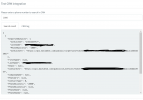
in attach the TEST...
 

Attachments

  • Captura de tela 2021-01-14 185203.png
    Captura de tela 2021-01-14 185203.png
    117.1 KB · Views: 8
where could I real time logging?
 
The test succeeds. What's not working? Call Journaling? Are you making a test call from an external number? Please note that calls between extensions are not logged to the CRM.
 
between extensions. So do I need a external SIP to test?
 
between extensions. So do I need a external SIP to test?
If you want to test Call Journaling with real calls, yes, you need calls to or from an external line.

You can also test this from the CRM tool, without real calls.
 
what the Inbound and Outbound CallType means?
 
  • Like
Reactions: edossantos
what the Inbound and Outbound CallType means?
Inbound: call from an external number to 3CX
Outbound: call from 3CX to an external number
 
  • Like
Reactions: Evolute IT
Status
Not open for further replies.

Forum statistics

Threads
112,327
Messages
591,903
Members
165,480
Latest member
Jake_Southern