3CX API with PowerShell

Status
Not open for further replies.

Togadude

Joined
Jun 5, 2018
Messages
11
Reaction score
4
Hi all,

Anyone successfully using the 3CX Call Control API with PowerShell?
I've found some useful code on the forum, but I can't get it to work.

Config: 3CX Enterprise 15.5 on Windows 2016 Enterprise with PowerShell 5.1

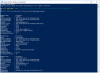
The error I get is like this:

upload_2018-6-8_9-5-7.png

Thanks!
T.
 
No takers yet?

I got some better results with calling the DLL with 'Add-Type' instead of 'System.Reflection.Assembly' using the following code:
Code:
Add-Type -Path "C:\Program Files\3CX Phone System\Instance1\Bin\3cxpscomcpp2.dll"

Requesting the properties like so:
Code:
[TCX.Configuration.PhoneSystem].GetProperties()
returns the attributes, so on to connecting...
upload_2018-6-11_9-13-47.png

Code:
[TCX.Configuration.PhoneSystem]::set_CfgServerHost("127.0.0.1")
[TCX.Configuration.PhoneSystem]::set_CfgServerPort("5485")
[TCX.Configuration.PhoneSystem]::set_CfgServerUser("cfguser_default")
[TCX.Configuration.PhoneSystem]::set_CfgServerPassword("******")
[TCX.Configuration.PhoneSystem]::set_ApplicationName("CallViewer")
upload_2018-6-11_9-23-45.png

All looking good.

However, when trying to instantiate an object like so:
Code:
$3CX = [TCX.Configuration.PhoneSystem]::get_Root()
it throws a "ConfigServer is not connected" right back at me...
upload_2018-6-11_9-27-54.png

Hopefully ringing any bells now?

Thanks!
T.
 
Making progress, succeeded in connecting.
Even managed to load extension data in an object like this:
Code:
$Ext = $Tenant[0].GetExtensions() | where ID -eq 390

The following changes the last name of the user (instantly!)
Code:
$Ext.Lastname = "Doe"
$Ext.Save

However, the following code does nothing :(
Code:
$Ext.UserStatus = "Away"
$Ext.Save

Still plowing away...
T.
 
Nice!

Did you get farther along in it?

Thank you!
 
However, the following code does nothing :(
Code:
$Ext.UserStatus = "Away"
$Ext.Save
I have no experience with running code from PowerShell, but a little experience with Visual Studio.

I don't know if this helps, but "UserStatus" does not accept a string as a value, but objects of type "UserStatusType" which is an enum class. Try assigning an int instead of a string, and I think the only 2 values are 0 = Available, 1 = Away.

No much more I can pitch in though....
 
Hi,

suddenly last night, we got this error:

2018-06-14 17:43:43,513 [4] INFO _3cxSync.PBX3cxConnector [(null)] - phonesystem.root connected voor aanvraag GETDN
2018-06-14 17:43:48,731 [4] ERROR _3cxSync.PBX3cxConnector [(null)] - TCX.Configuration.Exceptions.PhoneSystemException: ConfigServer is not connected
at TCX.Configuration.PhoneSystem.Connect()
at TCX.Configuration.PhoneSystem.get_Root()
at _3cxSync.PBX3cxConnector.Initialize(String applicationName, String version) in C:\Projects\WPF\Domus Admin\DaMainServicePlugin\3cxSync\PBX3cxConnector.cs:line 82
2018-06-14 17:43:49,160 [4] INFO _3CXSyncService.Sync [(null)] - ConfigServer is not connected


Had been working perfectly ?

User/password are correct.

Could it be that there was a 3CX/windows update that causes this ?

Any idea on how to resolve this error ?

Hope you can help !
Danny
 
Hey Togadude,

just stumpled upon your post because i am trying to set up some routines started from powershell.
What can i say, you already assumed, it does not work for me.
I actually am only trying to get a sample running which makes a new phone book entry.

Do you have a simple (complete w/o passwords) example of how you get your code running?

Thank you very much for your efforts!
Andreas
 
Status
Not open for further replies.

Forum statistics

Threads
111,887
Messages
589,562
Members
164,753
Latest member
GemmaC